
Customer Svc: 855-620-2330 -
M-Sat -9am-6pm
Speak To Customer Service - 855-620-2330 - M-Sat 9:00am - 6:00pm MST
Customer Svc: 855-620-2330 -
M-Sat -9am-6pm
Speak To Customer Service - 855-620-2330 - M-Sat 9:00am - 6:00pm MST

Last Updated: October 19, 2026
Selecting a high performance PC for golf simulation software isn't about buying the fastest computer on the shelf. The right system balances processing power, graphics capability, and compatibility with your specific simulation software.
Golf simulation software demands consistent performance across multiple tasks at once: rendering detailed 3D courses, processing real-time ball-flight data, handling swing camera feeds, and maintaining stable frame rates. Underpowered systems stutter, drop frames, and create lag that feels disconnected from reality.
The good news: you don't need to overspend. Understanding what each component does lets you build a high-performance PC golf simulation system that fits your budget and space.
Your processor handles ball-flight calculations, physics simulations, and real-time data processing from your launch monitor. You need a multi-core processor that juggles several tasks without bottlenecking your graphics card.
Intel Core i5 and i7 processors, or AMD Ryzen 5 and 7 equivalents, are the sweet spot. A mid-range i5 or Ryzen 5 handles standard simulation software smoothly; an i7 or Ryzen 7 gives headroom for multiple swing cameras, recording software, and complex ball-flight physics without lag.
Look for chips running at 3.5 GHz or higher. Avoid older-generation processors: they're cheaper upfront but force you to compromise on graphics quality or software features to maintain playable frame rates.
The graphics card renders every blade of grass, shadow, and reflection. A weak GPU means pixelated courses, poor lighting, and a setup that feels more like a video game than a simulator.

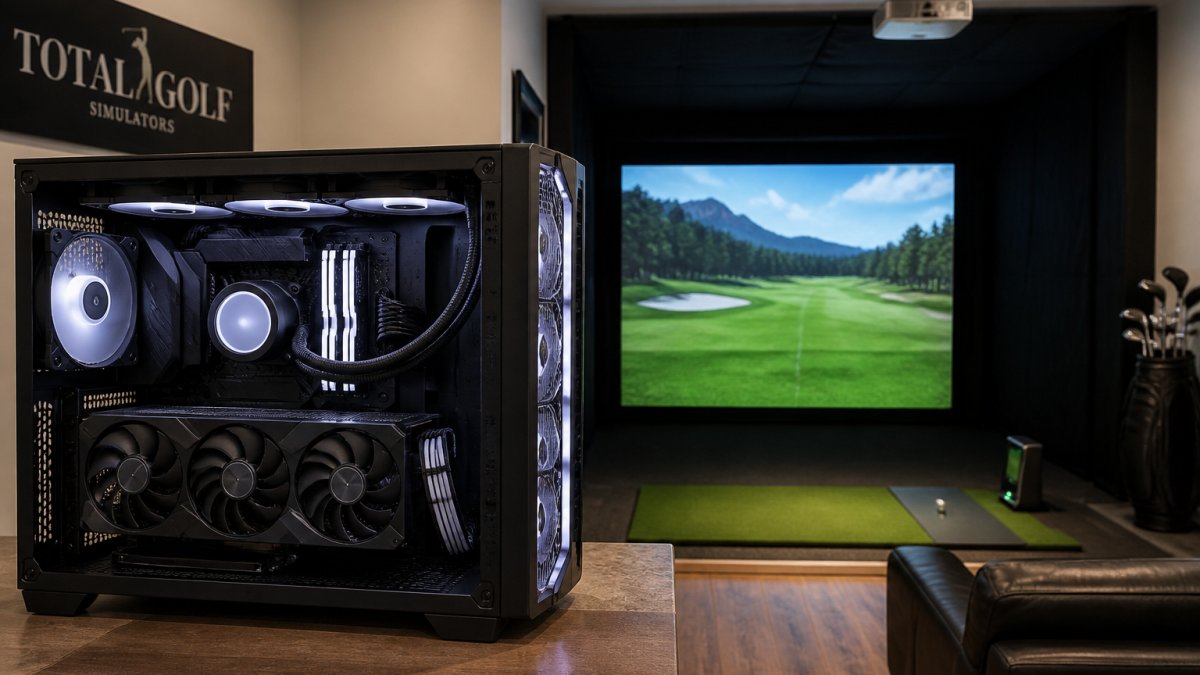
NVIDIA GeForce RTX series cards are the industry standard.
4K has become the standard for premium simulators: better course detail, more realistic textures, and reduced pixelation that can break immersion.
Frame rate stability matters as much as resolution. Aim for 60 FPS minimum, ideally 90+ FPS for responsive, lag-free gameplay. Inconsistent frame rates make swing timing feel off and ball-flight data less reliable.
Golf simulation software, especially with multiple peripherals, needs fast access to large amounts of data. Minimum RAM is 16 GB; for multiple swing cameras, recording software, or background processes, 32 GB is the practical standard.
DDR5 is faster, but DDR4 is still solid for most setups. Capacity matters more than speed, so your system doesn't fall back on slower disk storage.
Storage speed is often overlooked but critical. A 1 TB NVMe SSD is the baseline; NVMe drives are significantly faster than older SATA SSDs, meaning quicker load times, smoother course transitions, and faster launch monitor data processing. Slow storage introduces stuttering that feels like a hardware limitation but is just your PC waiting for data.
GSPro is one of the most popular golf simulation platforms, and its requirements set a useful benchmark because it is among the more graphics-hungry titles in the category. It runs on Windows and demands a high-performance PC golf simulation setup capable of real-time course rendering and launch monitor integration.
GSPro's published guidance points to an Intel Core i5 or AMD Ryzen 5, 16 GB of RAM, and an NVIDIA RTX 3060-class card as a practical baseline, with an RTX 4070-class card or better for 4K at high settings.
What actually matters for GSPro, in order:
Compatibility and connection checklist. GSPro problems are more often connection problems than frame-rate problems. Before you buy, confirm:
How GSPro compares to other titles. GSPro sits at the demanding end of the spectrum. E6 Connect and TGC 2019 are less GPU-intensive at 1080p but still reward a strong card at 4K. Size the GPU for the most demanding title you actually use.
SurfThing Performance Max Golf Simulator Computer SG3-5802 →
SkyTrak launch monitors are popular in home and commercial setups, and their PC requirements differ from GSPro's in ways that matter when choosing hardware. The launch monitor itself is modest; the software you pair it with drives the PC decision.
SkyTrak baseline. A practical SkyTrak PC baseline is an Intel Core i5 or AMD Ryzen 5, 16 GB of RAM, and an NVIDIA RTX 3050-class graphics card or better.
Software-by-software comparison. SkyTrak works with multiple simulation platforms, and each has its own hardware profile:
Software |
Typical CPU |
Typical RAM |
Typical GPU |
Notes |
|---|---|---|---|---|
SkyTrak app (driving range) |
i5 / Ryzen 5 |
8-16 GB |
Integrated or entry GPU |
Light load; not a simulation environment |
E6 Connect |
i5 / Ryzen 5 |
16 GB |
RTX 3050-class |
Moderate graphics load; 1080p comfortable, 4K needs a stronger card |
TGC 2019 |
i5 / Ryzen 5 |
16 GB |
RTX 3060-class |
Course rendering is heavier; 4K benefits from 12 GB VRAM |
GSPro (via SkyTrak integration) |
i5 / Ryzen 5 |
16-32 GB |
RTX 3060-class minimum, 4070-class for 4K |
Most demanding of the common pairings |
Use the table as a starting point, not a guarantee. The pattern is consistent: the launch monitor is not the bottleneck, the simulation software is. Choose the PC around the most demanding title you plan to run.
Display and refresh-rate matching. The display choice changes the GPU requirement.
Connection checklist. SkyTrak integration failures are usually connection failures. Confirm before purchase:
Real-world PC builds fall into three tiers. Understanding where you fit helps you make smart spending decisions.
Entry-Level Build ($3,200-$3,800): Solid 1080p performance and entry-level 4K capability.
Mid-Range Build ($3,800-$4,200): True 4K performance and multi-peripheral setups. The SurfThing Performance Golf Simulator Computer SG3-5702TI sits in this range, with 4K-ready graphics, efficient cooling, and the ability to handle peripheral-heavy setups without lag.

Premium Build ($4,700+): For commercial installations, serious enthusiasts, and facilities running multiple simultaneous users or professional-grade swing analysis.
Build Tier |
Processor |
RAM |
Graphics Card |
Resolution |
Best For |
|---|---|---|---|---|---|
Entry-Level |
i5/Ryzen 5 |
16 GB |
RTX 3050/3060 |
1080p-Entry 4K |
Home users, standard rooms |
Mid-Range |
i7/Ryzen 7 |
32 GB |
RTX 4060 Ti |
Full 4K |
Serious enthusiasts, multi-camera setups |
Premium |
i7/Ryzen 7 |
32 GB |
RTX 4070+ |
4K High-Fidelity |
Commercial, professional analysis |
Consider your actual room size and display setup. A 10-foot ceiling with a standard impact screen doesn't need a premium build; a commercial facility running multiple simultaneous sessions or recording high-resolution swing data does.
Entry-level builds work best for home golfers with standard-size rooms (10-12 feet ceiling) and a single impact screen. Mid-range builds suit serious home users or small instruction facilities. Premium builds are essential for commercial venues, multi-user setups, or facilities doing professional swing analysis. ::: Optimizing these hardware configurations often requires integrating essential golf gadgets to ensure every data point captured during a session remains accurate and reliable.
A high-performance PC for golf simulation software is an investment in consistent, reliable practice. The right system balances your software choice, room setup, and actual needs, not just raw power. Entry-level builds deliver solid performance for most home setups; mid-range systems add 4K capability and multi-peripheral flexibility; premium builds ensure commercial-grade reliability and future-proofing.
Total Golf Simulators offers three SurfThing computers engineered specifically for golf simulation: the SG3-5702 at $3,199, the SG3-5702TI at $3,799, and the SG3-5802 at $4,699. Each is pre-configured for golf simulation software, optimized for launch monitor integration, and built with premium cooling for long practice sessions. All include plug-and-play compatibility with Carl's Place enclosures and other simulator equipment.
A high-performance PC for golf simulation requires at least an Intel Core i5 or AMD Ryzen 5 processor, NVIDIA GeForce RTX 3050 or better graphics card, and 16GB RAM. Most golf simulation software—including GSPro, E6 Connect, and TGC 2019—runs on these specs at 1080p with stable frame rates. For 4K resolution, bump up to an RTX 3060 or higher and 32GB RAM. Storage should be at least 1TB SSD for fast load times and smooth course rendering.
While some laptops can technically run GSPro, they often struggle with thermal management during extended sessions and lack the upgrade flexibility of a desktop PC. Gaming laptops with RTX 4060 or better can handle GSPro at 1080p, but desktop PCs deliver more stable frame rates, better cooling, and easier peripheral integration with launch monitors and swing cameras. For serious practice or instruction use, a dedicated desktop PC is the more reliable choice.
For golf simulation, 16GB RAM is the practical minimum and handles all major software platforms smoothly. If you plan to run multiple swing cameras, video recording software, or 4K resolution simultaneously, 32GB RAM ensures zero lag and faster data rendering from launch monitors. The SurfThing Performance Max includes 32GB for this reason—it supports multi-camera setups common in instruction and commercial venues without performance drops.
An NVIDIA GeForce RTX 3060 Ti or RTX 4060 Ti delivers solid 4K performance for golf simulation software. For the highest frame rates and graphical detail in 4K, an RTX 4070 or RTX 4080 is ideal, though the RTX 3060 Ti handles most platforms at 4K with good stability. The SurfThing Performance Max Golf Simulator Computer features RTX-series graphics optimized specifically for 4K golf simulation, balancing visual quality with the processing power needed for realistic course rendering and launch monitor data integration.