
Customer Svc: 855-620-2330 -
M-Sat -9am-6pm
Speak To Customer Service - 855-620-2330 - M-Sat 9:00am - 6:00pm MST
Customer Svc: 855-620-2330 -
M-Sat -9am-6pm
Speak To Customer Service - 855-620-2330 - M-Sat 9:00am - 6:00pm MST

Last Updated: September 17, 2026
A golf simulator projector typically needs at least 3,000 ANSI lumens for a dimly lit room, and 5,000 or more for spaces with uncontrolled ambient light. This golf simulator projector brightness guide from Total Golf Simulators breaks down the numbers so you buy the right projector the first time.
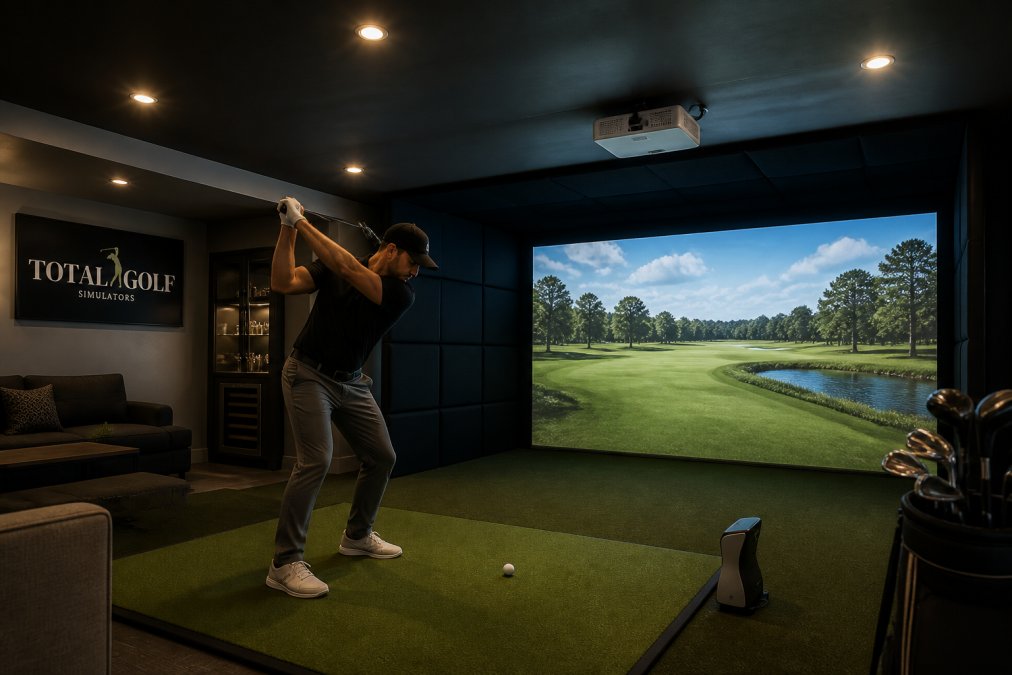
ANSI lumens is the standardized measure of a projector's light output, tested against a fixed grid pattern. Below 3,000 ANSI lumens, most simulator software loses shadow detail in tree lines and bunkers. The 3,000-lumen floor assumes you've controlled room light.
Spaces with windows, garage doors, or shared lighting push you past 5,000 ANSI lumens, as do commercial bays and instruction facilities.
The BenQ LK936ST 4K UHD Golf Simulator Projector delivers 5,100 ANSI lumens from a laser light source rated up to 20,000 hours, with a 3,000,000:1 contrast ratio.

ANSI lumens and LED lumens are not the same measurement. ANSI lumens follow a standardized testing method, while "LED lumens" is a manufacturer's own estimate that often runs higher than real-world output. Insist on ANSI lumens: a projector advertised at "6,000 LED lumens" may produce closer to 3,500 ANSI lumens, a gap that matters on a large impact screen.
Rating Type |
How It's Measured |
Trust Level |
What to Do |
|---|---|---|---|
ANSI lumens |
Standardized grid test |
High |
Use for all comparisons |
LED lumens |
Manufacturer estimate |
Low |
Treat as marketing |
"Brightness" (no unit) |
Undefined |
None |
Ignore entirely |
Throw distance is the measurement from the projector lens to the screen, and it determines how large an image you get in your available space. Getting this wrong is the most expensive mistake in simulator builds: a projector too far back can't fill your screen, and one mounted too close needs digital scaling that softens detail.
A short-throw projector creates a large image from a few feet away, while an ultra-short-throw model sits almost against the wall. Standard-throw projectors need much more distance, which rules them out for most garages and basements.
Use the manufacturer's throw ratio to find your mounting distance. Multiply the throw ratio by your screen width to get the lens-to-screen distance.
Worked examples using published throw ratios:
fL = (ANSI lumens × screen gain) ÷ screen area in square feet
Screen gain is how much light a surface reflects back toward the viewer compared to a matte white reference (gain 1.0).
Keystone correction digitally squares an image that's projected at an angle, while lens shift moves the image optically without distorting it. Both matter when your projector can't sit dead-center.
Ambient light control is the practice of reducing stray room light so your projector's output reaches the screen without competition. It's the cheapest performance upgrade in any simulator build.
Brightness spreads thinner as screen size grows: the same projector that looks punchy on a 100-inch screen can look dim on a 160-inch screen, because the light output is distributed across more surface area.
Contrast ratio determines how well your projector separates bright sky from dark tree lines. On an impact screen, weak contrast flattens the image and makes ball flight harder to read.
Keystone correction digitally squares an image that's projected at an angle, while lens shift moves the image optically without distorting it. Both matter when your projector can't sit dead-center.
Most brightness guides stop at the spec sheet. The number that actually matters over a five-year simulator build is sustained brightness, how much of that rated output survives dust, heat, and hours.
Lamp-based projectors use a user-replaceable bulb rated roughly 2,000-5,000 hours depending on eco mode. Replacement bulbs run a few hundred dollars each, and brightness drops 30-50% by end of rated life. At two hours a night, that's a bulb replacement roughly every two to three years, plus a slow dimming curve that pushes you below your fL target.
Dust is the single biggest threat to sustained brightness in a garage or converted-space simulator. It settles on the lens, coats the color wheel or phosphor wheel, and blocks airflow through the heatsink, dimming the image and overheating the projector.
High-lumen projectors run hot. A 5,000-lumen laser engine dumps serious heat, and if the intake or exhaust is blocked, the projector either throttles brightness or shuts down mid-session. Ventilation rules for enclosed simulator bays:
Laser projectors cut long-term maintenance dramatically, but airflow clearance, dust control, and a sealed optical engine still determine how long your image stays bright and sharp. Budget for the room, not just the projector.
Yes, 5,000 ANSI lumens works well for most home golf simulator setups, even with some ambient light. The BenQ LK936ST at 5,100 ANSI lumens handles moderate room lighting and large screens without washing out. If your space has bright windows or you run a commercial bay, aim for 5,000+ lumens. For a dark, dedicated room, 3,000 to 3,500 lumens is often sufficient.
Most golf simulator software and impact screens use a 16:9 or 16:10 aspect ratio. A 16:9 ratio matches standard widescreen content and is the most common choice for home setups. Some commercial systems use 4:3 for a taller image. Check your enclosure and software requirements first, then match the projector's native aspect ratio to avoid letterboxing or stretched images.
Ambient light directly reduces image contrast and color accuracy. In a room with blackout curtains and no direct sunlight, 3,000 lumens is often enough. If you have windows or overhead lights, you may need 5,000 lumens or more. Use blackout curtains and dimmable lighting to control ambient light, which lets you use a lower-lumen projector and still get a clear, vibrant image.
ANSI lumens is a standardized measurement defined by the American National Standards Institute, taken from multiple points across the projected image. 'Standard' or 'peak' lumens often refers to the brightest single point, which can overstate real-world brightness. Always compare ANSI lumens when shopping for a golf simulator projector. A projector rated at 3,000 ANSI lumens will typically appear brighter than one claiming 4,000 'peak' lumens.