
Customer Svc: 855-620-2330 -
M-Sat -9am-6pm
Speak To Customer Service - 855-620-2330 - M-Sat 9:00am - 6:00pm MST
Customer Svc: 855-620-2330 -
M-Sat -9am-6pm
Speak To Customer Service - 855-620-2330 - M-Sat 9:00am - 6:00pm MST

Last Updated: October 21, 2026
Commercial golf simulator maintenance costs usually land in the range of a few hundred to several thousand dollars a year, depending on how hard your bays run. The big-ticket items are screens, mats, and projector service. Everything else is small, steady, and easy to plan for.
This guide from Total Golf Simulators breaks down each line item so you can budget with confidence.
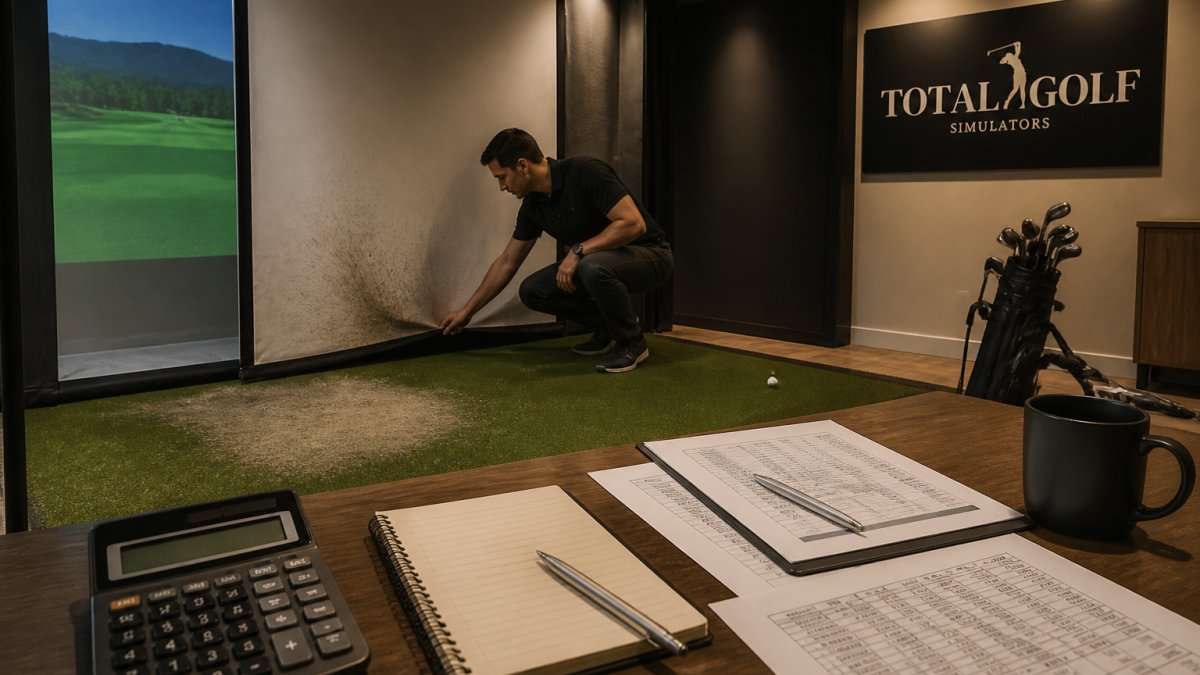
A solid golf simulator maintenance checklist keeps small problems from becoming expensive ones. Run this list monthly and again before each busy season.
Most of these take minutes. Skipping them is how a cheap fix turns into a full replacement.

Screen replacement is the single biggest recurring parts cost in most commercial bays, and it is also the line item owners most often underfund. A quality impact screen like our Carl's Place Premium Impact Screen runs $439.95 and is rated for direct hits from balls moving up to 250 MPH. That price is for the screen itself, budget separately for labor if you pay a tech to re-hang it, and for shipping if the screen is oversized.
What actually drives screen wear is not total swing count alone. It is the combination of ball speed, impact concentration, and screen tension:
How often you replace it depends on traffic. A busy sports bar with high-ball-speed traffic might see heavy wear within a year or two. A low-traffic instruction bay can last much longer. A common planning pattern is to set aside the screen's replacement cost across its expected service life, for a $439.95 screen expected to last two years in a busy bay, that is roughly $18 a month per bay, which is easier to absorb than a surprise invoice.
Inspect the screen monthly with a bright light held behind it. Look for:
For multi-bay facilities, budgeting screens as a rolling replacement rather than a single event can spread the cost.
Hitting mat replacement is the cost operators underestimate most. Mats take thousands of swings and wear in a narrow zone where players stand and strike.

Look for these signs it's time:
A full-stance mat like our TallTurf "Real Tee" Hitting Mat starts at $425.00. It's roughly 1.5 inches thick and accepts standard tees, so you skip rubber tee holders entirely.
Rotating the mat regularly spreads the wear and stretches its life.
Commercial golf simulator operating costs go well beyond parts. Power, cleaning, software subscriptions, and staff time all add up.
The projector is the biggest power draw. A laser model like our Optoma ZW350ST runs 3600 lumens with no lamps or filters to replace, which cuts long-term upkeep.

Software and course updates are usually a subscription. Budget for it the same way you budget for any other monthly service.
Staff time for cleaning, setup, and basic troubleshooting is real money too. A simple daily routine keeps that time down.
All Sports Systems - TallTurf "Real Tee" Hitting Mats - 1.5" Thick - Sizes →
Projector and launch monitor service is where surprise bills hide, and it is also where most maintenance guides stay vague. The fix is to service each device according to how it actually senses the ball.
Camera-based systems. These rely on high-frame-rate cameras that capture the club and ball at impact. The failure mode is a dirty lens or a smudged protective window, which produces missed reads and misreads rather than an obvious error. Wipe the lens with a microfiber cloth and approved cleaner weekly, and check that the camera housing has not drifted out of alignment after a ball strike. Recalibrate after any physical bump.
Infrared and light-curtain systems. These depend on an array of emitters and receivers around the hitting zone. Dust on the emitters scatters light and causes intermittent triggers. Blow out the emitter and receiver windows with canned air monthly, and inspect for a single blocked emitter that produces consistent no-reads on one side of the bay.
Radar systems. Radar units are less sensitive to lens contamination but sensitive to metal objects, fans, and moving equipment in the field of view. Keep the radar's cone clear of HVAC vents, ceiling fans, and stored clubs. Firmware updates can be important for radar systems as tracking algorithms improve over time, check the manufacturer's update page quarterly. Consistent attention to these environmental variables remains as vital to the longevity of your simulator as maintaining refurbished equipment is for the utility vehicles operating around your facility.
Photometric and overhead multi-camera systems. These use several cameras and often an overhead light source. A single dirty camera or a failing overhead light produces partial reads or wrong ball-flight data. Clean every camera window on the same schedule, and test the overhead light for flicker and color shift monthly.
When a bay starts producing missed reads or wrong numbers, work through this sequence before calling for service:
Projectors need lens cleaning and vent clearing. Dust kills brightness and shortens life. Laser projectors avoid lamp swaps, but they still need airflow, a clogged filter or blocked vent causes overheating and dimming. Clean the lens with a microfiber cloth, blow out the vents monthly, and check the projector's brightness against its rated output every six months. A dim image makes the screen look worn even when it is not, which leads owners to replace screens prematurely.
You can lower simulator maintenance costs without cutting corners. The trick is prevention and smart equipment choices.
We help commercial operators pick gear that holds up to heavy use. Our team matches screens, mats, and projectors so they work together from day one.
Running a commercial bay means planning for wear, and the operators who budget for it stay profitable. The parts that fail are predictable: screens, mats, and projector upkeep.
Total Golf Simulators can help you build a setup that lasts, with a price match guarantee, free shipping on most items, and expert guidance for commercial spaces. Get started with Total Golf Simulators and keep your bays running year-round.
Annual maintenance for a commercial golf simulator typically runs 5-10% of the original system cost. On a $40,000 setup, that means $2,000-$4,000 per year covering screen and mat replacement, projector service, sensor calibration, and software updates. Costs spike in high-traffic venues where screens and mats wear faster. Budgeting this percentage upfront prevents surprise repair bills and keeps simulator maintenance costs predictable across the year.
A solid golf simulator maintenance checklist covers daily screen and mat inspections, weekly projector filter checks, monthly sensor calibration, quarterly software updates, and annual deep cleaning of the enclosure and launch monitor lenses. Include ball and club tracking accuracy tests after each calibration. Document every service date so you can spot patterns in wear. This checklist approach turns reactive repairs into planned expenses, which lowers commercial golf simulator operating costs over time.
Impact screens in commercial settings typically last 12-24 months depending on traffic, while hitting mats last 6-18 months. High-volume venues may replace mats annually. Screen replacement cost runs $400-$1,500 for the screen itself, plus labor. Mat replacement for a full stance mat like the TallTurf sits around $425. Track wear signs like sagging screens, visible ball marks, or mat fibers breaking down to time replacements before they affect ball tracking.
A maintenance contract can help manage costs by catching small issues before they become expensive failures. Contracts typically cover scheduled calibration, software updates, and priority repair visits. For venues with high usage, reduced downtime can be a significant benefit. Compare contract pricing against your historical repair spend to determine if a contract is right for your business. Otherwise, a documented in-house checklist may be enough.
Launch monitors and projectors are the costliest components to repair, often running $500-$3,000 depending on the model. Screens and mats are cheaper but need more frequent replacement. Projector bulbs or laser modules can be a major line item, though laser projectors like the Optoma ZW350ST offer up to 30,000 hours of maintenance-free use, which reduces long-term replacement costs. Prioritize protecting high-cost components with regular calibration and clean power.