
Customer Svc: 855-620-2330 -
M-Sat -9am-6pm
Speak To Customer Service - 855-620-2330 - M-Sat 9:00am - 6:00pm MST
Customer Svc: 855-620-2330 -
M-Sat -9am-6pm
Speak To Customer Service - 855-620-2330 - M-Sat 9:00am - 6:00pm MST

Last Updated: September 21, 2026
Before you spend a dollar on a hitting mat, get three numbers straight: your ceiling height, your stance width, and your budget. Hitting mat quality determines whether your simulator feels like a fairway or a video game, and it shapes how your wrists feel after 200 swings. This guide from Total Golf Simulators breaks down turf density, shock absorption, mat thickness, and launch monitor accuracy.
Checklist for your pre-purchase walkthrough:
Hitting mat quality is the single biggest factor in how realistic your indoor sessions feel. A dense, well-built mat rewards a clean strike and punishes a fat shot the way real turf does; a cheap mat bounces your club and lies to you about your swing.

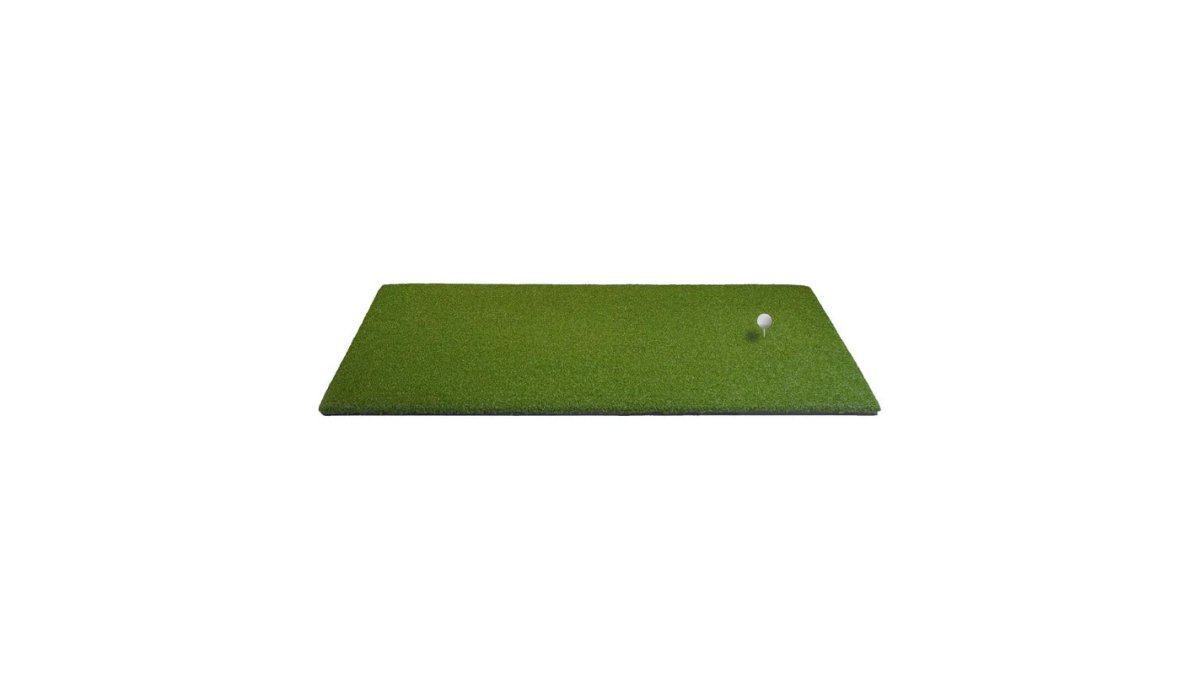
Turf density describes how tightly packed the fibers are per square inch. Higher density means the club interacts with more blades at impact, producing a truer divot simulation. Nylon fibers hold their shape longer than polypropylene, and life-sized blades mimic real fairway grass more closely. The TallTurf mat uses high-density synthetic grass with life-sized individual turf blades.
Shock absorption is the mat's ability to disperse club impact energy before it travels up your arms. Without it, every swing sends vibration into your wrists and elbows, and joint fatigue builds fast. A foam backing or EVA foam base layer absorbs that energy; the Impact Sports T-Turf mat pairs its turf surface with a 10mm EVA foam base to reduce vibration and strain on wrists, elbows, and shoulders.
Mat thickness ranges from about 1 inch to 1.5 inches for most home simulators. Thinner mats sit closer to the floor and suit tight spaces; thicker mats add cushioning and let you insert a real tee without a separate holder.
Thickness |
Best For |
Trade-Off |
|---|---|---|
1 inch |
Portable setups, tight spaces |
Less shock absorption |
1.5 inches |
Home simulators, full-stance swings |
Takes more vertical space |
Multi-layer (3-layer) |
High-frequency practice, joint protection |
Higher cost |
Most guides tell you to "look for foam" and stop there. That advice is incomplete: the reason a hitting mat hurts your wrists has a specific mechanical cause, and once you understand it you can evaluate any mat on the floor instead of trusting a marketing bullet.
When a club head strikes a mat, it decelerates against the surface, then the shaft and your hands absorb the residual energy the surface does not dissipate. On a thin, hard, or tightly woven mat, the club head barely decelerates, it skids or bounces, and energy that should have been absorbed by the turf travels up the shaft into your lead wrist, elbow, and shoulder.
For a right-handed golfer, the lead (left) wrist takes the brunt of a fat or steep strike. The wrist is in slight extension at impact, and the flexor tendons on the palm side are under tension. Over a long indoor session, 150 to 250 swings is common, that load accumulates, producing a dull ache on the thumb side of the wrist that lingers for a day or two.
Joint protection is a function of how much you swing. A golfer hitting 30 balls a week on a 1-inch mat will never notice the load; a golfer hitting 200 balls a day will notice it within a week.
Almost every guide treats the launch monitor and the mat as separate purchases. They are not. The mat is part of the measurement system, and if you ignore that, you will spend months chasing swing flaws that are actually mat artifacts.

A launch monitor measures the club and ball at or near impact using radar, high-speed cameras, infrared sensors, or a combination. Every method depends on a consistent relationship between the ball, the club head, and the sensor.
All Sports Systems - TallTurf "Real →
The mat changes three of those variables:
This is the part most guides skip. Switching from a 1-inch mat to a 1.5-inch mat raises the ball and impact zone by half an inch. For camera-based monitors with a fixed field of view, that shift can push the impact zone toward the edge of sensor coverage. For radar-based monitors, the change in ball starting height alters the angle the radar sees, affecting reported launch angle and spin.
A mat does not stay consistent forever. The strike zone compresses over time, and a worn mat develops a shallow depression where you hit most often, changing the ball's lie and the club's entry angle. If your distances start drifting and your swing feels the same, check the mat before you check your swing.
A mat cannot make a radar monitor accurate in a room with too much metal or a camera monitor accurate in poor lighting. Those are environmental problems. But a firm, level, dense mat removes one entire category of error from the equation, and that is the category you actually control.
Material and construction decide how long a mat lasts and how it feels on every shot. Synthetic grass over foam and rubber is the standard for home simulators; single-layer mats cut cost at the expense of resilience and joint comfort.
Mat |
Construction |
Thickness |
Price |
Best For |
|---|---|---|---|---|
TallTurf "Real Tee" |
High-density synthetic grass, full-stance |
1.5" |
$425.00 |
Home simulators, real tee use |
Country Club Elite |
1" nylon turf, True Divot Action |
1" |
$173.20 |
Portable, garage practice |
T-Turf |
Synthetic turf, 10mm EVA foam base |
Multi-layer |
$535.00 |
Joint comfort, quiet rooms |
3-Layer "Real-Feel" |
Turf, foam core, rubber base |
3-layer |
$849.99 |
High-frequency practice |
The biggest mistake is buying on price alone and ignoring turf density and base construction. A bargain mat that bounces your club trains bad habits and wears out in months. Here is what else to watch.
Getting hitting mat quality right is the difference between a simulator you use every week and one that sits idle because it feels wrong. Start with your space measurements, match mat thickness to your ceiling and stance needs, and prioritize shock absorption if you practice often. Total Golf Simulators carries a curated range of hitting mats, from the TallTurf "Real Tee" mat to the 3-Layer "Real-Feel" design, plus launch monitors, enclosures, and projectors that work together as one system.
High-quality nylon or polyethylene fibers are the best materials for a golf hitting mat. These synthetic grasses offer the density and resilience needed to mimic real fairway conditions. Look for mats with a multi-layer construction, such as a turf surface backed by foam and a rubber base, like the Impact Sports T-Turf. This combination provides realistic feedback, absorbs shock, and keeps the mat from sliding during your swing.
For simulator use, a mat thickness between 1 and 1.5 inches is ideal. A mat around 1 inch thick, like the Country Club Elite, offers a realistic feel and good shock absorption without being too bulky. Thicker mats, such as the 1.5-inch TallTurf, provide even more comfort and joint protection for high-volume practice. The key is finding a balance where the mat is thick enough to cushion impact but not so thick that it raises your stance unnaturally.
Cheap, thin mats can contribute to wrist and elbow pain because they lack proper shock absorption. When you hit down on a hard surface, the vibration travels through the club and into your joints, leading to fatigue and potential injury over time. Investing in a mat with a foam backing, like the 10mm EVA foam base on the Impact Sports T-Turf, helps dampen that vibration and reduces strain on your wrists, elbows, and shoulders.
Yes, many high-quality golf mats are designed to accept standard wooden or plastic tees. This is a major advantage over cheaper mats that require special rubber tee holders. For example, both the TallTurf and Country Club Elite mats allow you to push a real tee directly into the turf. This feature enhances realism for driver and fairway wood practice, giving you a more authentic setup for your indoor golf sessions.