
Customer Svc: 855-620-2330 -
M-Sat -9am-6pm
Speak To Customer Service - 855-620-2330 - M-Sat 9:00am - 6:00pm MST
Customer Svc: 855-620-2330 -
M-Sat -9am-6pm
Speak To Customer Service - 855-620-2330 - M-Sat 9:00am - 6:00pm MST

Last Updated: September 1, 2026
A quality golf simulator eliminates weather constraints, tracks metrics that matter for improvement, and provides immediate feedback on every swing. The difference between systems that genuinely improve your game and expensive video games comes down to launch monitor precision, software that teaches, and enclosures that maintain image quality. This guide ranks the best golf simulators based on data accuracy, practical setup, and real-world performance gains.
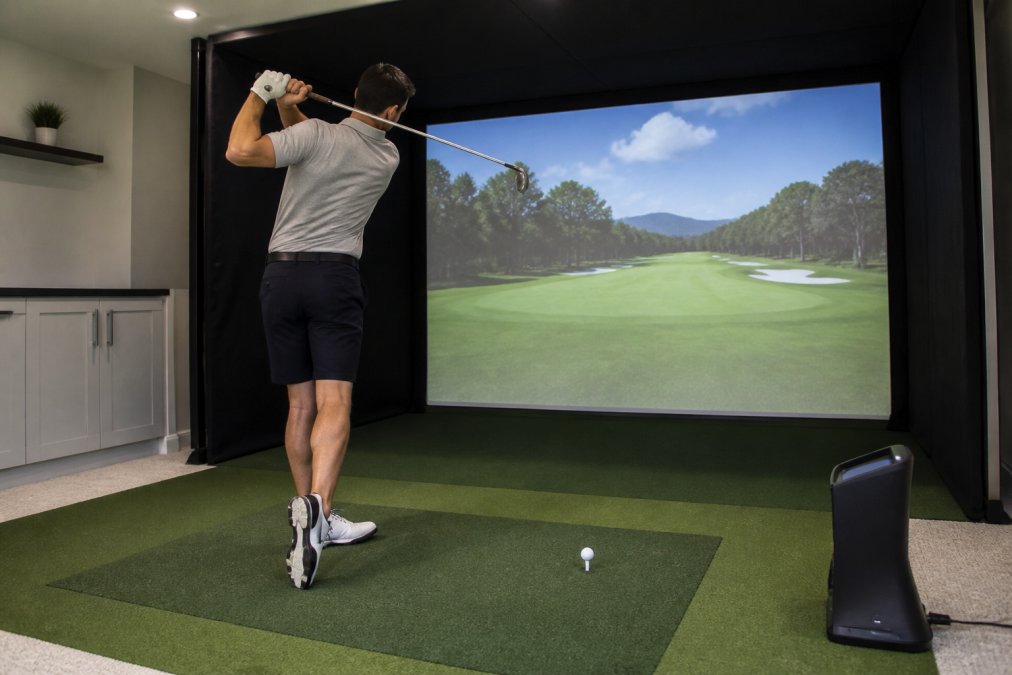
Launch Monitor |
Price |
Best For |
Key Strength |
Hitting Zone |
|---|---|---|---|---|
$10,999 |
Serious home golfers |
24 data points, club delivery tracking |
28" W × 21" L |
|
TruGolf Apogee |
$7,995 |
Accuracy-first users |
Zero-lag shot detection |
Full swing zone |
Uneekor Eye Mini |
$2,999 |
Budget-conscious starters |
Portability + 19 data points |
8" × 11" |
FlightScope X3C |
$14,995 |
Commercial/coaching |
50+ metrics, environmental data |
Professional-grade |
IDRA II |
$6,495 |
Short-game focus |
No marked balls required |
Full short game |
Launch monitors measure dozens of parameters, but only three categories drive improvement: ball flight, club delivery, and impact quality.

Ball flight data reveals what happened after contact. Ball speed, launch angle, spin rate, and spin axis show whether you're hitting the center of the clubface. A 150-yard shot with a 15-degree launch angle behaves completely differently from one with a 25-degree launch angle.
Club delivery metrics show what you're doing at impact. Club head speed, face angle, club path, and angle of attack are variables you can control. Smash factor (ball speed divided by club head speed) shows how efficiently you're transferring energy; 1.48 on a driver is excellent, while 1.35 means you're losing power through poor contact.
Impact quality metrics, impact location on the clubface, dynamic loft, and low point, separate tour-level players from mid-handicappers. Systems with high-speed cameras like the Uneekor XO2 show exactly where you're striking, driving more swing changes than any other metric.
The best golf simulator prioritizes actionable metrics over raw data volume.
The launch monitor captures data; software turns it into practice routines. Most golfers miss the real value of their simulator investment here.
Generic simulator software plays existing courses and tracks scores, entertainment, not training. Software built for improvement structures practice around specific weaknesses, segments work into driving range drills and short-game routines, then uses your data to prioritize what needs work.
Understanding the Software Ecosystem
Most simulators operate within three tiers: bundled software (included with purchase), first-party training modules (paid add-ons from the manufacturer), and third-party integrations (external platforms consuming your launch monitor data).
Bundled software typically includes basic course play and score tracking. The Uneekor Eye XO2 includes Refine platform access with a 3-month Ultimate package trial. TruGolf's Apogee bundles E6 Connect, emphasizing realistic course simulation with measured data overlay. These base packages let you play courses and see ball flight data but rarely structure practice around specific weaknesses.
First-party training modules add the coaching layer. Uneekor's Refine+ ($19.99/month after trial) includes AI-powered swing analysis when paired with optional Swing Optix cameras, comparing your mechanics to tour benchmarks. E6 Connect's GameDay mode ($9.99/month add-on) simulates tournament pressure with realistic scoring conditions.
Third-Party Software and Integration Workflows
Third-party platforms like GSPro and TGC 2019 consume data from multiple launch monitors, creating a unified practice environment. GSPro ($9.99/month) focuses on realistic course play; TGC 2019 ($14.99/month) offers similar course libraries. Both integrate with most launch monitors and allow shot data export for external analysis.
Coaching integration platforms like Swing Catalyst and V1 Sports connect simulator data to remote coaching workflows. A coach can review your session data, overlay video analysis, and send specific drills. This typically requires manual data export but creates a closed feedback loop between practice and professional guidance.
Evaluating Software for Your Improvement Goals
Ask yourself three questions:

The Data Export and Portability Question
Can you export your data if you switch systems or software? Uneekor exports shot data as CSV files, allowing you to build a historical record independent of any single platform. FlightScope and Trackman similarly allow data export. Some platforms like GSPro lock your shot history within their ecosystem; if you cancel, your practice data becomes inaccessible.
For long-term improvement tracking, prioritize systems that export raw data.
Recommended Software Stacks by Improvement Level
Beginner (first 6 months): Bundled software only. Learn data interpretation before adding complexity.
Intermediate (6-24 months): Bundled software plus one first-party training module like Refine+ ($19.99/month) to structure practice around specific metrics.
Advanced (2+ years): First-party training module plus third-party integration and optional coaching. Combine Refine+ with GSPro or TGC 2019, and add remote coaching for specific handicap goals.
Data without drills is noise. The best golf simulators come with practice routines using your metrics to drive specific improvements. Simulators create a learning environment fundamentally different from range practice, every swing generates immediate, measurable feedback that accelerates skill development. improve your mental focus.
Why Simulator Practice Accelerates Improvement Faster Than Range Practice
A golfer hitting balls at a range receives delayed, incomplete feedback. You see ball flight but not club path, face angle, launch angle, or smash factor. A simulator eliminates this feedback gap. Every shot generates 15-50 data points. You immediately see whether your sensation matched reality. Research on motor learning shows immediate, specific feedback accelerates skill acquisition by 3-5x compared to delayed feedback (peer-reviewed research).
Building a Data-Driven Practice Routine
Start with a baseline assessment. Hit 20 shots with your driver and record ball speed, launch angle, spin rate, club path, and face angle. This establishes your current patterns.
Structure practice into focused blocks. A 30-minute session might look like:
Metric-Specific Drills and Improvement Targets
Smash Factor (Ball Speed ÷ Club Head Speed)
A 1.48 smash factor on a driver is excellent; 1.35 means you're losing power through poor contact. Most mid-handicappers average 1.38-1.42 (pga.com).
Drill: Hit 20 driver shots focusing on center-face contact. If your average is 1.38, target 1.42. This typically requires 2-4 weeks of focused practice and translates directly to 8-12 additional yards off the tee.
Launch Angle (Angle of Ball Flight Relative to Ground)
Optimal launch angle varies by club and swing speed. A golfer with 90 mph driver swing speed should target 15-17 degrees (pga.com). Most amateurs launch too high (18-22 degrees), losing distance and consistency.
Drill: Hit 20 driver shots recording launch angle on each. If your average is 19 degrees and your target is 15 degrees, focus on a shallower angle of attack. This typically requires 3-6 weeks to establish a new pattern.
Club Path and Face Angle (Direction and Rotation of Club at Impact)
These metrics determine shot shape. If your club path is 5 degrees right of target and your face angle is 2 degrees left, you'll hit a push-fade.
Drill: Hit 20 shots with a mid-iron recording club path and face angle. Focus on rotating your hips more aggressively through impact. Expect 2-4 weeks to establish consistency.
Impact Location (Where on the Clubface You Strike the Ball)
Impact location is the single most predictive metric for distance consistency.
Drill: Hit 20 shots with your driver focusing purely on center-face contact. If your average is 0.4 inches off-center, target 0.2 inches or less. Expect 1-2 weeks to establish consistency.
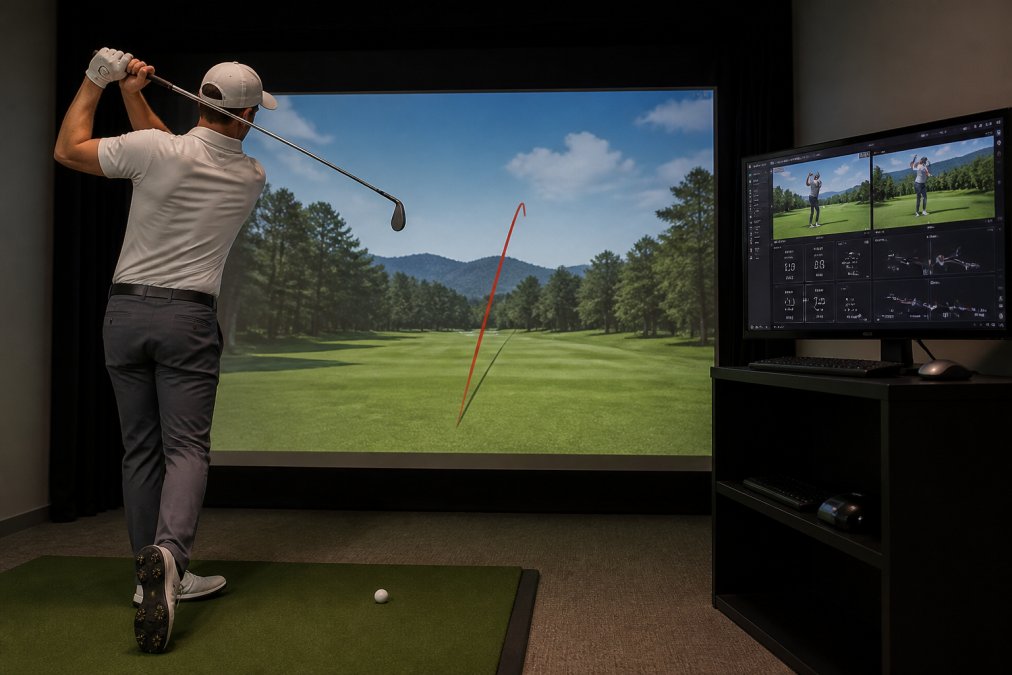
Structuring Weekly Practice for Measurable Progress
A typical 8-week improvement cycle focuses on one primary metric, then layers in secondary metrics.
Weeks 1-2: Baseline and Smash Factor Hit 20 shots daily with your driver, recording smash factor. Focus on center-face contact. Most golfers improve smash factor by 0.03-0.05.
Weeks 3-4: Launch Angle Consistency Hit 20 shots daily recording launch angle variation. Maintain improved smash factor while establishing consistent launch angle. Expect variation to decrease from 6-8 degrees to 3-4 degrees.
Weeks 5-6: Club Path and Face Angle Hit 20 shots daily with mid-irons recording club path and face angle. Identify your dominant miss pattern and work to eliminate it.
Weeks 7-8: Integration and Course Play Hit 5-10 full rounds on the simulator applying all improvements simultaneously. Most golfers see 2-5 stroke improvement over 18 holes after an 8-week focused cycle.
A golf simulator only improves your game if you actually use it. Space constraints, installation complexity, and maintenance burden determine whether your investment becomes a daily tool or an expensive closet item.
Ceiling height is the first hard constraint. Most overhead launch monitors like the Uneekor Eye XO2 require 9-10 feet of clearance. If your ceiling is 8 feet, you're limited to front-mounted systems like the TruGolf Launch Box or portable units like the Eye Mini.

Hitting zone size determines ball placement consistency. Larger zones like the Eye XO2's 28" × 21" are more forgiving. Smaller zones like the Eye Mini's 8" × 11" require precise ball placement every shot.
Enclosure setup takes 4-8 hours depending on complexity. The Carl's Place Pro Enclosure ships with steel fittings and fabric panels requiring assembly. Budget a full day if doing it yourself; hire a professional if you value your time.
Maintenance centers on three components: the launch monitor, the hitting mat, and the projector. Launch monitors need quarterly calibration, taking 15 minutes with a provided template. Hitting mats compress over time; a quality mat lasts 2-3 years with heavy use before replacement. Projectors need lamp or filter replacements every 1,000-2,000 hours; the BenQ LK936ST uses a laser light engine rated to 20,000 hours.
The best golf simulator for game improvement is one you'll actually use consistently. If your space is tight, a portable system like the Uneekor Eye Mini costs less upfront and requires zero installation. If you have a dedicated room, an overhead-mount system like the Eye XO2 provides superior accuracy and hitting zone size. Total Golf Simulators can help match your space constraints to the right system.
Choosing the best golf simulator for game improvement requires balancing data accuracy that drives real swing changes, software that structures your practice effectively, and a setup that fits your space and lifestyle. The Uneekor Eye XO2 leads our rankings because it delivers all three: 24 data points including complete club delivery tracking, integrated training software with optional AI coaching, and a large hitting zone minimizing placement inconsistency. At $10,999, it's a significant investment, but the data precision and training features justify the cost for golfers serious about lowering their handicap.
If budget is your primary constraint, the Uneekor Eye Mini ($2,999) delivers surprising capability in a portable package. If you prioritize zero-lag shot detection and realistic course play, the TruGolf Apogee ($7,995) excels. For commercial installations or coaching studios, the FlightScope X3C ($14,995) offers unmatched precision.
Get started with Total Golf Simulators' Simulator Finder Quiz to match the right system to your space and goals. We offer a Price Match Guarantee on all products, free shipping on most items, and step-by-step guidance through setup and integration. Shop Golf Simulators today and transform your practice from guesswork to data-driven improvement.
A: Yes. The best golf simulators capture precise data on ball speed, launch angle, spin rate, and club path—the exact metrics that determine shot quality. When paired with structured practice drills and real-time feedback, this data helps you identify swing flaws and track improvement over time. Studies show golfers who practice with accurate launch monitors and simulator software reduce their handicap faster than those using range balls alone, because every shot produces measurable feedback rather than guesswork.
A: The critical metrics are ball speed, club head speed, smash factor (efficiency of energy transfer), launch angle, spin rate, and club path. Smash factor reveals if you're striking the center of the clubface; launch angle and spin rate determine carry distance and shot shape. Club path and face angle show if your swing mechanics are consistent. Advanced systems like the FlightScope X3C add angle of attack and dynamic loft, which help coaches diagnose swing issues. Focus on systems that don't gate these core metrics behind paywalls.
A: Most overhead launch monitors like the Uneekor Eye XO2 require 9–10 feet minimum. If your ceiling is 10 feet or lower, you can still set up a simulator, but you'll need a monitor positioned lower or a front-facing system. The Carl's Place Pro Enclosure supports frame heights up to 135 inches, giving you flexibility. Measure your exact ceiling height and confirm monitor mounting clearance before purchasing. Tight spaces aren't a dealbreaker—they just require careful equipment selection.
A: Budget launch monitors capture basic data but often lack accuracy in spin rate, launch angle precision, and short-game tracking. High-end systems like the FlightScope X3C ($14,995) or Uneekor Eye XO2 ($10,999) deliver 50+ data points and commercial-grade precision. Mid-range options like the TruGolf Apogee ($7,995) or IDRA II ($6,495) balance accuracy and cost. For serious game improvement, invest in a system with at least 19–24 data points and proven accuracy in your swing type. The Uneekor Eye Mini ($2,999) is a solid entry point if budget is tight.
A: Realistic ball flight depends on three factors: accurate launch monitor data, quality simulator software, and proper calibration. Systems using photometric (camera-based) or radar technology like the FlightScope X3C produce more reliable data than budget alternatives. Software like E6 Connect and GSPro model physics realistically. Calibration is critical—improper setup causes misreads. Before buying, check independent reviews on shot dispersion accuracy and spin axis consistency. Ask the retailer about their calibration process and whether they offer post-setup support to ensure your data is trustworthy.
This article was written using GrandRanker