
Customer Svc: 855-620-2330 -
M-Sat -9am-6pm
Speak To Customer Service - 855-620-2330 - M-Sat 9:00am - 6:00pm MST
Customer Svc: 855-620-2330 -
M-Sat -9am-6pm
Speak To Customer Service - 855-620-2330 - M-Sat 9:00am - 6:00pm MST

Last Updated: September 6, 2026
Trusting the numbers on your screen is the foundation of any worthwhile practice session, yet many golfers accept readings that are subtly off without knowing it. This guide from Total Golf Simulators breaks down the physics, the hardware, and the environment so you can trust every yard and every degree of spin your launch monitor reports.

Simulator data accuracy is not a single feature you purchase; it is a result you engineer.
Launch monitors capture the first moments of ball flight using one of two core technologies: high-speed cameras or Doppler radar. Camera-based systems, often called photometric, use stereoscopic imaging to track the clubface and ball through the impact zone. Radar systems bounce radio waves off the ball in flight to measure its velocity and trajectory over a longer distance.
Radar units need unobstructed space behind and in front of the ball to track the full flight, while photometric units require a clear, well-lit view of the impact area and a specific ball position relative to the sensor.
According to [the PGA of America's guide on launch monitor(/products/flightscope-x3c-launch-monitor) technology | pga.com], the accuracy of any system depends on how well it captures the initial launch conditions, which are the primary predictors of where the ball will land. The key takeaway is that neither technology is inherently superior; each has an environment where it excels.
The numbers on your screen are calculated outputs derived from a few critical inputs. The system measures ball speed, launch angle, and spin rate directly, then uses algorithms to compute carry distance, total distance, and shot dispersion.
A misread on one variable can ripple through your entire data readout.
| Metric | What It Measures | Why It Matters |
|---|---|---|
| Ball Speed | Velocity off the face | Primary driver of distance |
| Launch Angle | Vertical start direction | Determines peak height and carry |
| Spin Rate | Backspin and sidespin | Controls flight stability and shape |
| Smash Factor | Efficiency of the strike | Indicates center-face contact |
| Angle of Attack | Club's vertical path | Influences launch and spin |
For most indoor setups, photometric systems deliver more consistent simulator data accuracy because they measure the ball and club directly at impact. Camera-based units like the TruGolf APOGEE Launch Monitor use a proprietary ultra-high-speed stereoscopic camera system to capture real, measured data from every swing.
Radar systems shine in larger spaces. The FlightScope X3C Launch Monitor combines 3D Doppler radar with high-speed image processing, making it a commercial-grade choice for coaching studios and fitting centers. The trade-off is that radar units can struggle with short indoor distances where the ball hits the screen before the system captures enough flight data.

The real difference comes down to your environment. If you have a standard 10- to 12-foot deep hitting bay, a photometric unit is the more reliable choice. If you have a larger indoor facility or can use an outdoor range mat, radar's longer tracking window becomes an advantage. The Uneekor Eye Mini Launch Monitor offers a portable middle ground, using dimple-based imaging to track flight with high accuracy while also capturing club data.

Your launch monitor is only as accurate as the environment it operates in. Lighting is the first variable to control; photometric systems depend on consistent, shadow-free illumination of the hitting zone.
Temperature and altitude also skew readings if your system does not normalize for them. Radar units measure actual ball flight, so denser air at sea level produces shorter carries than the same swing at altitude. Many modern systems include normalization settings, but you must enable them manually.
Barometric pressure and humidity play a smaller but measurable role in ball flight physics. A setup guide from the USGA's research on ball flight conditions confirms that air density directly affects carry distance, which is why tournament-level simulators always normalize data to sea level. Most commercial-grade units, including the FlightScope X3C, capture environmental data automatically to account for these variables.
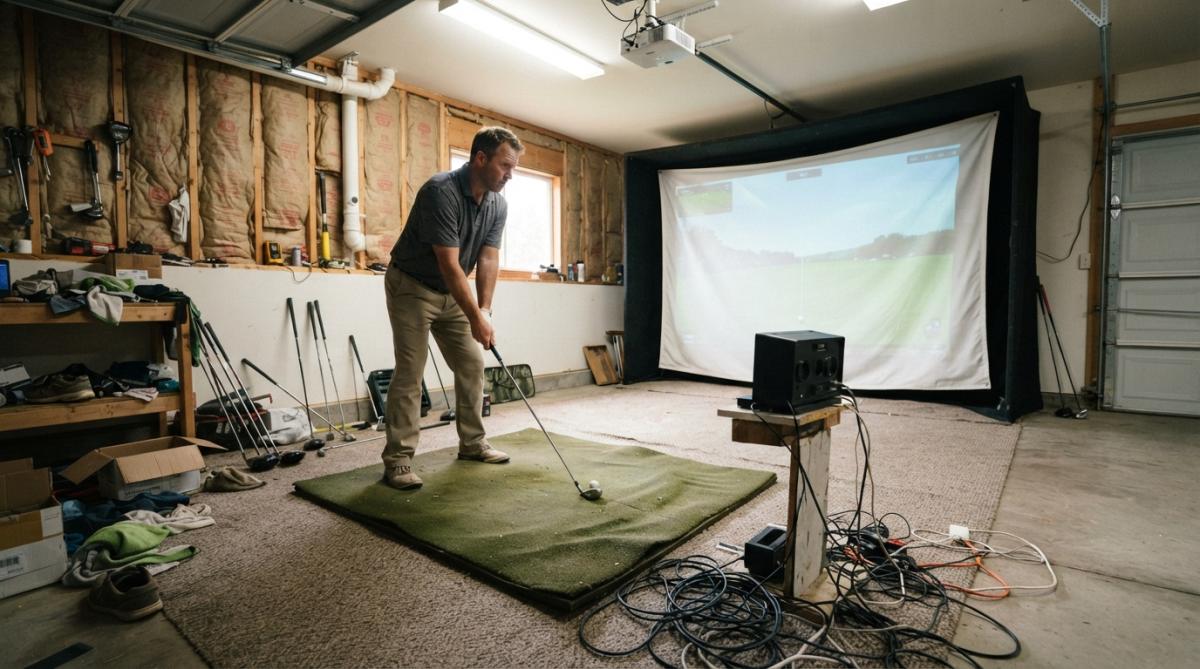
The most frequent error is placing the ball too far forward or backward relative to the launch monitor's recommended position. Even a few inches of deviation can change your launch angle readings by over a degree and your spin readings by hundreds of RPM.
Poor lighting is the second culprit. Photometric systems need a clear view of the ball's dimples and the clubface markings to calculate spin; glare or uneven ambient light can cause misreads.
A third mistake involves ball quality. High-quality balls with consistent dimple patterns are essential for camera-based tracking; worn range balls can cause erratic spin readings. The same applies to the clubface; clean grooves and visible face markings help the system capture club path and face angle more reliably.
Use this checklist when you see any of these symptoms: carry distances that vary wildly on identical swings, spin numbers that jump by 1,000 RPM for no reason, or 'ghost shots' that appear without a swing.
Check for ball and club markings. Camera-based systems track the ball's dimples and the clubface's markings to calculate spin and club path. If you are using a ball with a smooth surface or a clubface with worn or missing markings, the system may misread spin axis or face angle. For photometric units, use a ball with a consistent, high-contrast dimple pattern, like a Titleist Pro V1 or a similar premium ball. For the clubface, ensure the grooves are clean and the face is not overly worn. Some systems, like the Uneekor Eye Mini, use dimple-based imaging, so a scuffed ball can cause the system to lose track of the ball's rotation.
Inspect the hitting zone for debris. A piece of dirt, a loose tee, or a stray ball mark on the mat can confuse the sensor. Photometric systems are especially sensitive to objects in the camera's field of view. Sweep the mat before each session and remove any obstacles within 3 feet of the ball.
Verify the ball's position relative to the sensor. Re-read your unit's manual to confirm the exact ball placement. For camera systems, the ball is often placed a specific distance from the unit, too close or too far will cause the cameras to miss part of the impact. For radar systems, the ball must be within the radar's 'illumination zone', usually a cone extending from the unit. If you have moved your mat recently, re-measure the distance.
Test with a different ball. If you are using a range ball or a ball with a worn surface, switch to a new, high-quality ball. Hit five shots with the new ball and compare the data. If the readings stabilize, the ball was the problem.
Check for electromagnetic interference. Radar systems can be affected by other electronic devices, such as Wi-Fi routers, Bluetooth speakers, or even fluorescent lights. Move these devices away from the unit or turn them off during your session. If the issue persists, try a different outlet or power strip.
Run a software diagnostic. Most modern launch monitors have a built-in diagnostic mode that checks sensor health and alignment. Consult your user manual to run this test. If the diagnostic fails, contact the manufacturer's support, do not try to fix the hardware yourself.
Review your last session's data log. Some systems, like the FlightScope X3C, store raw data for each shot. Look for patterns, if the misreads happen only on certain clubs or when you hit a specific spot on the mat, the issue is likely setup, not the unit.
Most golfers do not realize that the markings on their ball and clubface are not just cosmetic, they are data points. Camera-based systems use the contrast between the ball's dimples and the white surface to calculate spin. If you use a ball with a matte finish or a low-contrast pattern, the cameras may struggle to track rotation. Similarly, clubface markings help the system determine club path and face angle; if your clubface is worn smooth or covered in dirt, the system may misread your swing.
For radar systems, markings matter less because they track the ball's flight, not the clubface. However, radar can be confused by a ball that is not perfectly round or has a damaged surface.
| Symptom | Likely Cause | Fix |
|---|---|---|
| Carry distance varies by 10+ yards on same swing | Ball position or sensor misalignment | Re-measure ball placement and level the unit |
| Spin rate jumps by 1,000+ RPM | Worn ball or dirty clubface | Switch to a new ball and clean the clubface |
| Ghost shots appear without a swing | Lighting glare or debris in the hitting zone | Remove debris and adjust lighting |
| Launch angle reads too low or too high | Unit is tilted | Use a bubble level to check and adjust |
| Data is consistent but unrealistic | Environmental settings are wrong | Enter correct temperature, altitude, and humidity |
Calibration is not a one-time event; it is a pre-session ritual that takes under two minutes. The exact steps depend on whether your launch monitor uses cameras or radar. Here is a sensor-specific protocol that addresses the unique failure points of each technology.
Camera systems like the TruGolf APOGEE or Uneekor Eye Mini rely on a clear, unobstructed view of the impact zone. Follow these steps before every session:
Radar units like the FlightScope X3C or TrackMan require a different approach because they track the ball over a longer flight path.
After calibrating, hit a verification shot with a 7-iron. Compare the reported carry distance to your known baseline for that club. If the number is off by more than 5 yards in either direction, re-check your sensor placement and environmental settings.
Once your data is trustworthy, the next step is knowing what to do with it. Launch angle and spin rate work together to determine your optimal ball flight.
A practical approach is to focus on one metric per session. Start with smash factor to confirm center-face contact, then move to club path and face angle to understand your shot shape.
For golf instruction facilities, this reliability is non-negotiable. Students need to trust that the feedback they receive indoors will translate to the course. Systems like the TruGolf Launch Box, which uses dual high-speed cameras for instant shot detection, give instructors a reliable tool for practice sessions.
Building an accurate indoor golf simulator is about understanding the chain of variables that connect your swing to the numbers on the screen. The technology inside your launch monitor sets the ceiling for accuracy, but your environment, setup, and calibration habits determine whether you reach it.
At Total Golf Simulators, we help you navigate these decisions with expert guidance and a curated selection of industry-leading launch monitors. Whether you need a portable unit for practice or a commercial-grade system for your facility, our team ensures every component works together. Use our Simulator Finder Quiz to match a setup to your specific space and goals, and get started building a simulator you can trust.
Modern launch monitors from brands like TruGolf, Uneekor, and FlightScope are highly accurate, with ball speed and launch angle measurements matching outdoor flight within a small margin of error. The accuracy depends on the technology type, proper calibration, and a clean indoor environment. Photometric systems track the ball with high-speed cameras, while radar systems use Doppler tracking. Both can deliver reliable data, but your results will only be as good as your setup and sensor placement.
Photometric systems use high-speed cameras to visually track the ball and club through the hitting zone, capturing data like club path and face angle at impact. Radar systems use Doppler radar to track the ball's flight through the air and measure spin. Photometric monitors are often preferred indoors because they don't need the space radar requires to measure the full ball flight. Radar monitors like the FlightScope X3C can excel in larger spaces due to their Fusion Tracking Technology.
Several factors cause differences between indoor simulator data and on-course results. The indoor environment removes variables like wind, temperature, and turf interaction. Your ball may also be different from the one you play on the course. Simulator data measures your launch conditions precisely, but the calculated carry distance assumes optimal flight in controlled conditions. Focus on the consistency of your ball speed and launch angle rather than chasing the exact same distance numbers you see outside.
Lighting is the biggest factor for camera-based systems. Direct sunlight or glare can interfere with the high-speed cameras' ability to track the ball. For radar-based units, metal objects or moving fans in the room can create false returns. Ensure your hitting area is evenly lit and free of reflective surfaces. Also, verify that your hitting mat is level and that you are using a fresh, marked ball, as scuffs and dirt can affect optical tracking.
Trusting your numbers is a challenge, not a given. Get started with Total Golf Simulators and build a system that delivers data you can build your game on.