
Customer Svc: 855-620-2330 -
M-Sat -9am-6pm
Speak To Customer Service - 855-620-2330 - M-Sat 9:00am - 6:00pm MST
Customer Svc: 855-620-2330 -
M-Sat -9am-6pm
Speak To Customer Service - 855-620-2330 - M-Sat 9:00am - 6:00pm MST

Last Updated: October 23, 2026
Quick Summary
Portable launch monitors sit on the floor and move between locations at a lower price, while ceiling mounted launch monitors hang overhead and read every shot from the same fixed position. Choose portable for shared rooms and travel, or ceiling mounted for dedicated studios and consistent data.
The choice between portable vs ceiling mounted golf launch monitors comes down to one question: flexibility or a permanently perfect hitting position? At Total Golf Simulators, we see this decision trip up more buyers than any other. Portable units move with you and cost less up front; ceiling-mounted units lock into one spot and deliver a consistent position every swing.
A portable launch monitor sits on the floor beside your hitting area: set it down, align it, and swing. Move it to the garage, the range, or a friend's bay and it comes along. The catch is alignment drift, bump the unit, shift the mat, or place the ball a few inches off and your data changes with it.
A ceiling-mounted unit hangs above the hitting zone and, once installed, reads every shot from the same angle in the same position. Left- and right-handed golfers can share a round without moving hardware. The cost is commitment: ceiling height, a permanent mount, and no driving range trips.
Here is the short version before we go deeper:
Factor |
Portable Launch Monitor |
Ceiling-Mounted Launch Monitor |
|---|---|---|
Placement |
Floor, beside the ball |
Fixed overhead |
Setup effort |
Minutes, each session |
One-time professional install |
Data consistency |
Depends on alignment |
Consistent position every shot |
Portability |
Full |
None |
Left/right-handed play |
Requires repositioning |
Seamless in one round |
Best for |
Multi-use rooms, travel, budget |
Dedicated studios, coaching, commercial bays |
An overhead launch monitor is a ceiling-mounted unit that tracks the ball and club from above using high-speed cameras and infrared or AI tracking. A floor-based launch monitor sits on the ground and typically relies on radar, sometimes paired with a camera.
Radar-based tracking sends out a signal and reads the ball's movement through the air. Floor units like the FlightScope Mevo+ use 3D Doppler radar with fusion tracking to capture 20+ ball and club metrics. Radar reads the full flight, making it strong outdoors and reliable for carry and total distance.
Photometric tracking uses cameras to image the ball and club at impact. Overhead units like the ProTee VX use dual high-speed cameras plus AI tracking to capture ball and club data without stickers or marked balls. Camera systems shine indoors, working in tighter spaces than radar needs.
For a deeper explanation of the two technologies, read our breakdown of radar vs camera launch monitor technology.
Overhead camera units give repeatable club data from a fixed position; floor-based radar units give flight data and freedom to move the device. Neither is better in the abstract, they solve different problems.
Ceiling height is the first number to check, and it decides more than any other spec. Overhead units need clearance above the hitting surface. Red Stakes Golf lists an ideal mounting height of 8'9" to 10'6" above the hitting surface for its RSG Pro. ProTee recommends a minimum ceiling height of 8 feet for ideal tracking on the VX.
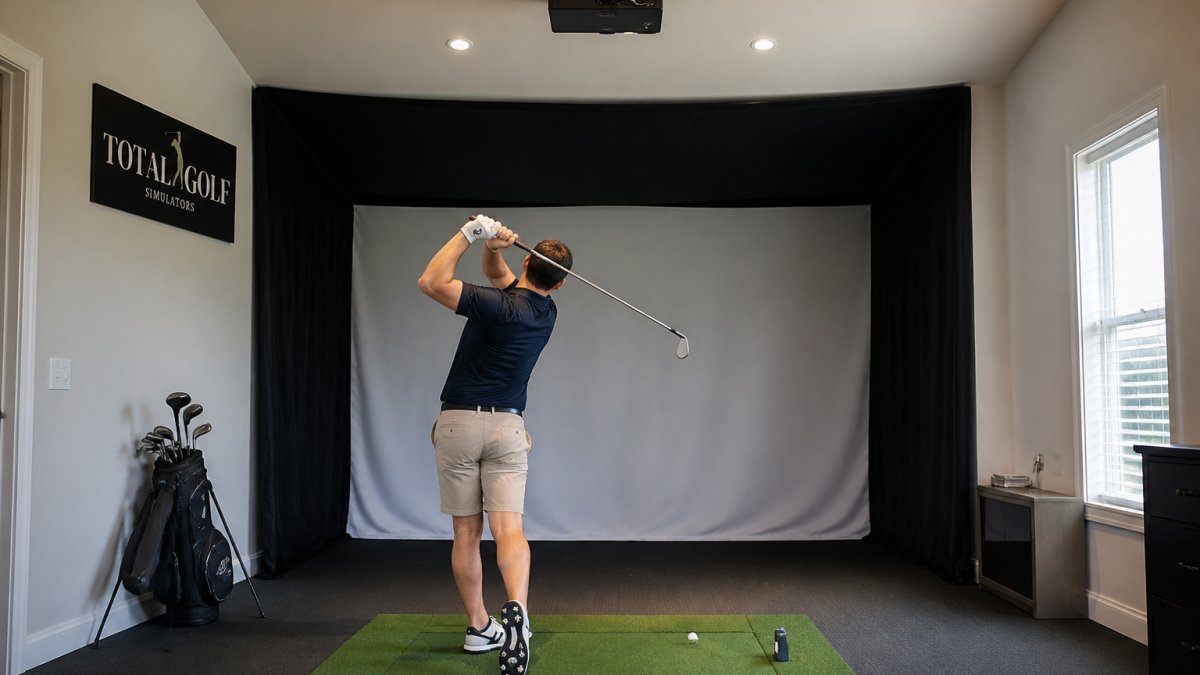
Floor-based units have their own footprint. The Mevo+ wants roughly 7 to 9 feet from the unit to the ball, plus 8 to 10 feet of ball flight for the most accurate reads, depth behind and in front of the hitting area, not just ceiling height.
Layout matters as much as raw dimensions:
If you are measuring a tight basement or garage, our golf simulator room dimension requirements guide walks through the numbers in detail. A 10-foot ceiling can work for many setups, but the unit and your swing both have to fit under it.
Portable units win on setup speed. A floor-based launch monitor is ready in minutes: place it, align it to your target line, connect to your tablet or PC, and hit. The Garmin Approach R10 is built for this, with a bag-clip phone mount and up to 10 hours of battery life.
Ceiling-mounted units trade that speed for permanence. Installation means mounting the unit overhead, running power and a network connection, and calibrating it to the hitting zone. The ProTee VX connects over LAN or Ethernet; the RSG Pro includes a 30-foot Ethernet cable and needs a Windows PC with a dedicated graphics card.
Calibration is where the two types diverge most. A portable unit re-calibrates every time you move it, and small alignment errors creep in. An overhead unit is calibrated once and holds that position. That is why professional golf simulator calibration matters so much for ceiling-mounted systems: the install is the accuracy.
The sticker price is the least interesting number here. What separates a portable launch monitor from a ceiling-mounted one is the cost after the box: mounting hardware, electrician time, calibration, software subscriptions, and room modifications.
Purchase price. Portable units start lower. The Garmin Approach R10 runs $599.00, the FlightScope Mevo+ is $2,339.00, and the Uneekor Eye Mini is $2,999.00.
Installation and mounting. A portable unit needs no install, set it on the floor and align it. A ceiling-mounted unit needs a mount, power at the ceiling, a network drop, and (for the RSG Pro) a Windows PC with a dedicated graphics card.
Software and subscriptions. Portable units often lean on app subscriptions or third-party simulator software (E6 Connect, GSPro, TGC 2019 for the Mevo+; the Garmin Golf app for the R10).
Garmin Approach R10 Indoor & Outdoor Launch Monitor w/Video Clip Recording →
Room modifications. A ceiling-mounted unit may require a higher ceiling, a dedicated circuit, or a network run.
Cost Line |
Portable |
Ceiling Mounted |
|---|---|---|
Unit price |
$599.00-$2,999.00 |
$6,500.00-$6,999.99 |
Mounting hardware |
None |
Mount, brackets, cabling |
Electrical / network |
None |
Outlet at ceiling, Ethernet run |
Calibration |
Free, but repeated each session |
One-time professional calibration |
Software |
Often subscription-based |
Sometimes included (RSG Pro) |
Room modifications |
Floor space and depth |
Ceiling height, circuit, network |
Repositioning |
Free, but re-align each time |
Not applicable |
Replacement risk |
Unit can be struck or dropped |
Fixed safely overhead |
The hidden cost of a portable unit is time and accuracy drift; of an overhead unit, the install and lost flexibility. The cheaper sticker is not always the cheaper ownership.
The best launch monitor for a home golf simulator depends on whether your room is dedicated or shared. Here are our picks, matched to how you will use the space.
Red Stakes Golf RSG Pro Overhead Indoor Launch Monitor ($6,999.99) is our top pick for a dedicated home studio. You can shop the RSG Pro overhead launch monitor to see the full spec.

ProTee VX Launch Monitor ($6,500.00) is the pick for teaching studios and commercial bays.
Garmin Approach R10 ($599.00) is the best entry point for a shared room. You can compare the Garmin Approach R10 launch monitor for a portable setup.

FlightScope Mevo+ ($2,339.00) suits golfers who want accurate data indoors and out. 3D Doppler radar with fusion tracking delivers 20+ metrics, and it works with E6 Connect, GSPro, and TGC 2019.
Uneekor Eye Mini ($2,999.00) is the portable pick for players who want camera-based precision. Ball Optix dimple imaging and Club Optix give 19 data points with a built-in screen, and it packs into a carrying case.
Most buyers start with budget and work backward into a room that does not fit. Start with the room instead, walking the constraints in the order they actually bind.
1. Measure ceiling height at the hitting position. Not at the room's highest point, at the spot you actually swing from.
2. Check depth, not just height. The Mevo+ wants roughly 7 to 9 feet from the unit to the ball, plus 8 to 10 feet of ball flight.
**3.
4. Decide whether the room is dedicated or shared. If it doubles as a spare bedroom, garage, or living space, a portable unit keeps that flexibility.
5. Decide whether the unit travels. If you need to take it to the range, to events, or between locations, no ceiling unit travels. Portable wins by default.
6. Only then compare budget. With the room constraints settled, budget becomes a real comparison instead of a guess. The total cost of ownership section above shows why the sticker is only part of the ledger.
That is the whole decision: room first, players second, portability third, budget last. If you are measuring a tight basement or garage, our golf simulator room dimension requirements guide walks through the numbers in detail.
Portable launch monitors sit on the floor near the hitting area and can be moved between rooms or taken outdoors. Ceiling-mounted units are fixed overhead and capture data from above. Portable models like the Garmin Approach R10 ($599) offer flexibility, while overhead units like the ProTee VX ($6,500) keep the hitting area clear and accommodate left- and right-handed golfers without repositioning.
Accuracy depends on the technology, not just the mounting position. Overhead camera systems like the Red Stakes Golf RSG Pro ($6,999.99) and ProTee VX use dual high-speed cameras to capture precise ball and club data. High-quality portable units like the FlightScope Mevo+ ($2,339) use radar and fusion tracking for reliable results. In controlled indoor conditions, both types can deliver consistent, repeatable data.
Most overhead units require a minimum ceiling height of 8 to 10 feet. The Red Stakes Golf RSG Pro specifies an ideal mounting height of 8 feet 9 inches to 10 feet 6 inches above the hitting surface. The ProTee VX recommends 8 feet minimum. Always check your room dimensions and swing clearance before committing to a ceiling-mounted setup.
Yes. Portable models like the Garmin Approach R10 and FlightScope Mevo+ are designed for indoor and outdoor use. The R10 offers up to 10 hours of battery life and easily moves from home to the driving range. The Mevo+ works in garages, basements, and backyards. This flexibility makes portable units ideal for golfers who want year-round practice options.
The best choice depends on your space and budget. For tight spaces and multi-purpose rooms, a portable unit like the Uneekor Eye Mini ($2,999) offers high precision and easy storage. For dedicated simulator rooms with adequate ceiling height, an overhead unit like the ProTee VX provides a clutter-free hitting area and seamless left/right-handed play. Consider your room dimensions, budget, and long-term goals.
