
Customer Svc: 855-620-2330 -
M-Sat -9am-6pm
Speak To Customer Service - 855-620-2330 - M-Sat 9:00am - 6:00pm MST
Customer Svc: 855-620-2330 -
M-Sat -9am-6pm
Speak To Customer Service - 855-620-2330 - M-Sat 9:00am - 6:00pm MST

Last Updated: October 22, 2026
Quick Summary
Good simulator lighting means aiming adjustable, flicker-free fixtures at the ball and mat rather than the screen, with roughly 50 to 100 foot-candles at the ball and even coverage. Control contrast instead of raw brightness, and run the ten-shot test to confirm clean reads.
Light is the most common reason a golf simulator misses shots, and it is the easiest problem to fix.
Here is the core tension most guides ignore. Brightness is not the goal. Contrast is. Your camera needs to see a bright ball against a controlled background.
Below, we break down the lighting setup that supports accurate ball tracking, from mounting positions to the exact test you can run tonight.
Launch monitor lighting requirements split into two camps: camera-based systems that need visible contrast, and radar systems that mostly need a clean, uncluttered path. Match your fixtures to your monitor's tracking method and you avoid most problems before they start.

Camera and photometric monitors use high-speed cameras to watch the ball and club at impact. These systems are sensitive to what the camera sees.
What matters most:
Overhead camera units like the Uneekor line mount above the ball and look straight down. They benefit from even, direct light on the mat. A single hotspot creates a hard shadow the software may read as a second ball.
Radar monitors track the ball through the air using radio waves, not light. They are less fussy about brightness, but they still care about a few things:
Bright light itself rarely breaks radar tracking. Poor placement and clutter do.
Correct golf simulator lighting placement puts light on the ball and the mat, not on the screen. Mount adjustable fixtures on the ceiling, roughly above and slightly in front of the hitting area, and aim them down at the ball.
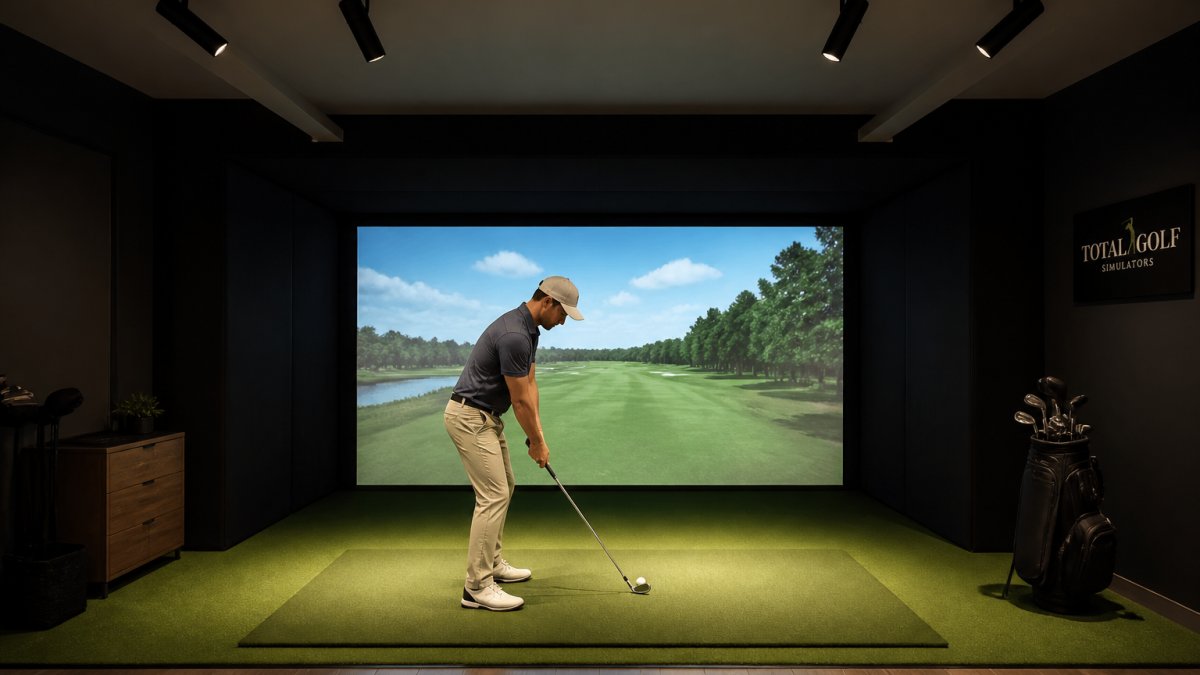
A few placement rules we rely on:
Beam angle is the lever most people ignore. A wide flood throws light everywhere. A tight spot puts it exactly where the camera needs it.

Golf simulator lighting brightness should be bright enough to light the ball clearly but not so bright it blows out the camera. The problem with most advice is that it stops at "not too bright, not too dim." What you actually need is a measurable target at the ball and the club, plus a repeatable way to check it.
A practical starting range for the hitting area is roughly 50 to 100 foot-candles (about 500 to 1,000 lux) measured at the ball position, with even coverage across the mat.
What matters more than the raw number is uniformity. A single 150-foot-candle hotspot next to a 20-foot-candle shadow gives the camera two different exposures in one frame. Aim for readings that stay within about a 2:1 ratio across the hitting zone.
Use your monitor as the final instrument:
Garmin Approach R50 Indoor & Outdoor Launch Monitor w/Built-In Simulator →
Ambient room brightness mostly affects how your eyes and your projector perform. Tracking cares about the ball-to-background contrast at the sensor. That is why a room that looks evenly lit to you can still produce a dark ball against a bright mat, or a bright ball against a dark enclosure wall. Measure where the camera looks, and adjust the mat or backdrop contrast before you add more fixtures.
Tracking type |
Typical starting target at ball |
Priority |
|---|---|---|
Overhead camera / photometric |
75-100 foot-candles, even across mat |
Uniformity and no hard shadows |
Floor or side camera |
50-100 foot-candles |
Contrast against backdrop |
Radar |
30-50 foot-candles is often enough |
Clean path, low reflectivity |
These are working ranges, not manufacturer specifications. Confirm against your monitor's documentation and let the ten-shot test settle the final setting.
A golf simulator overhead spotlight gives you the control a fixed ceiling light cannot. Track fixtures let you slide and aim each light, which is why they suit most builds. But the right choice depends on ceiling height, whether you rent or own, how often you expect to change monitors, and what you are willing to spend on fixtures and electricity.
Fixture type |
Control |
Typical installed cost per head (USD) |
Dimming |
Heat at the mat |
Best for |
|---|---|---|---|---|---|
Adjustable track heads (LED) |
High, slide and aim |
$40-$120 plus track run |
Usually yes with compatible dimmer |
Low |
Most home and commercial builds |
Fixed LED spotlights |
Low, set at install |
$25-$80 |
Sometimes, check driver |
Low |
Simple permanent setups |
Pinspot / framing projector |
Very high, tight beam |
$80-$250 |
Varies |
Low to moderate |
Precise ball lighting, tight rooms |
Halogen or incandescent spot |
Moderate |
$15-$40 bulb, higher energy |
Yes, but heat |
High |
Legacy setups only, avoid for new builds |
Prices are typical U.S. retail ranges for fixtures and bulbs, not installation labor. A licensed electrician's labor is the wildcard; a new track run in an existing ceiling can cost more than the fixtures themselves.
If you expect to keep the same monitor for years and want the lowest fuss, fixed LED spots aimed once are fine. If you might upgrade monitors, change hitting position, or want to tune out shadows, pay the modest premium for track heads. Pinspots earn their cost in tight rooms or where the screen is close to the hitting area and spill is hard to control.
Browse our launch monitors to see which tracking type you are lighting for.
Light spill onto the impact screen is the silent killer of a good projected image. Any fixture aimed at the screen washes out the picture and reduces contrast, which makes the whole simulation feel flat.
Fix it with direction, not darkness:
The goal is a bright hitting area and a dark screen. That contrast is what makes the projected image pop and keeps your camera happy at the same time.
Color temperature and flicker affect how your camera reads the ball, and most people never think about either. Match your bulbs to a consistent color temperature and choose flicker-free LEDs to avoid exposure problems.
Why it matters:
Stick to one color temperature across the room, favor dimmable flicker-free fixtures, and keep the light steady during a session. Your camera will thank you with cleaner reads.
Most tracking errors trace back to a handful of lighting faults. Work through this checklist before you blame the monitor.
Change one variable at a time. Fix the light, hit ten shots, and compare. That method finds the real cause faster than swapping equipment.
Yes. Camera-based and photometric launch monitors read the ball and club through high-speed images, so direct sunlight, flickering fixtures, and harsh glare can wash out the frame or create false edges the software misreads. Overhead infrared systems such as the Uneekor Eye XO are less affected because they rely on infrared rather than visible light, but even those benefit from controlled, consistent illumination. The fix is usually directional task lighting over the hitting area with the screen kept in shadow.
There is no single number, because what matters is the light reaching the hitting area rather than the fixture's total output. Aim for even, directional coverage over the ball and clubhead instead of flooding the whole room. A few adjustable spotlights or track heads in the 800 to 1,500 lumen range, aimed tightly at the mat, typically give enough brightness for swing video and camera tracking without spilling onto the impact screen. Dimming control lets you dial back for radar-based units.
Dimmable fixtures give you room to tune the setup. Radar-based monitors such as the Garmin Approach R50 do not need bright light to track the ball, so you can drop ambient levels for a better projected image. Camera-based systems want brighter, consistent light on the hitting area, and dimming helps you find the level where tracking stays reliable and the screen image stays clean. Choose flicker-free dimmable LEDs, since cheap dimmers can introduce flicker that shows up in high-speed video.
Look for an adjustable, flicker-free LED spotlight or track head with a narrow beam angle you can aim precisely at the hitting mat. Pinspot-style fixtures work well because they concentrate light where the club and ball are without flooding the room. Mount them on track so you can slide and re-aim them as your setup changes. Pair the fixtures with a dimmer, and check that the beam does not reach the impact screen, which causes hot spots and glare in the projected image.
Getting the light right is the difference between a simulator you trust and one you fight. If you are planning a build or fixing a stubborn tracking problem, our team at Total Golf Simulators can help you match fixtures to your launch monitor, enclosure, and room. We offer a Price Match Guarantee, free shipping on most items, and a Simulator Finder Quiz to match a setup to your space and budget. Get started with Total Golf Simulators and build a room that reads every shot clean.