
Customer Svc: 855-620-2330 -
M-Sat -9am-6pm
Speak To Customer Service - 855-620-2330 - M-Sat 9:00am - 6:00pm MST
Customer Svc: 855-620-2330 -
M-Sat -9am-6pm
Speak To Customer Service - 855-620-2330 - M-Sat 9:00am - 6:00pm MST

Last Updated: September 18, 2026
Choosing between TruGolf vs Shop Indoor Golf Systems comes down to one question: a manufacturer's closed ecosystem or a retailer's curated mix of brands? That distinction shapes everything from launch monitor accuracy to post-purchase support. This comparison from Total Golf Simulators breaks down both paths so you can match a setup to your space, budget, and goals.
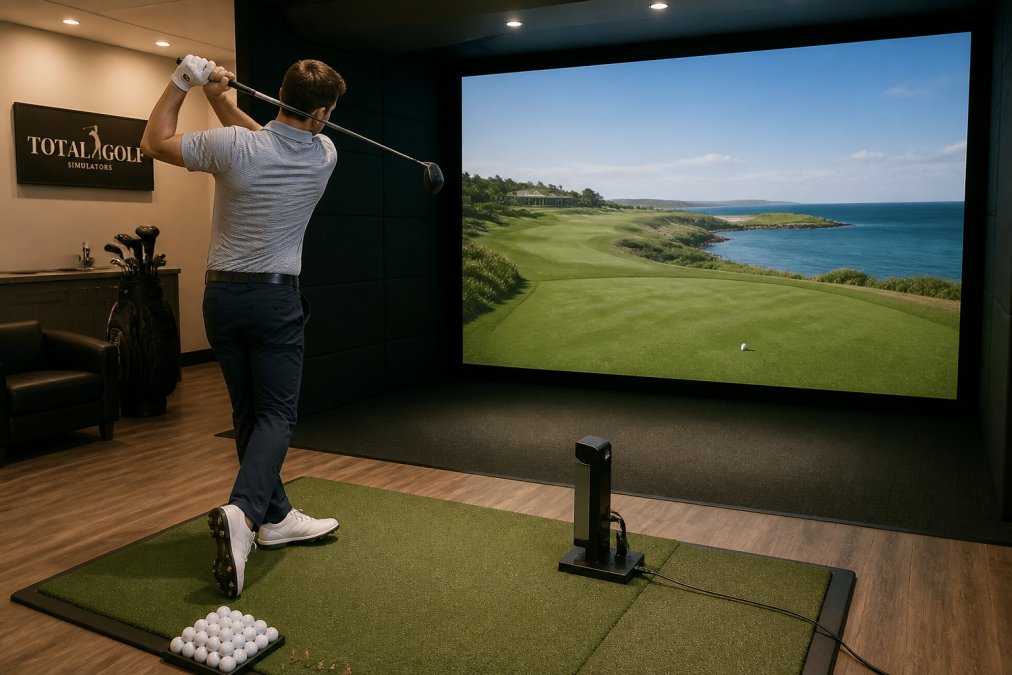
Infographic comparing TruGolf vs Shop Indoor Golf features and launch monitor performance specs
TruGolf's launch monitors rely on photometric camera systems rather than radar. The Apogee uses a dual high-speed stereoscopic camera setup with TruGolf's INSTANT IMPACT image analysis, capturing measured club and ball data instead of extrapolated estimates. That matters for shot registration and latency, because camera-based units register impact instantly with no waiting for ball flight.
The sensor choice changes what you can practice and how the system behaves in your room.
Camera-based monitors do not stay perfectly calibrated forever. Over months of use, a ceiling-mounted unit can drift from vibration, temperature swings, or a bumped enclosure frame. The symptom is subtle: carry distances creep, spin numbers flatten, and you blame your swing instead of the sensor.
Latency is the delay between impact and the ball appearing on screen, the biggest driver of whether a simulator feels real or like a video game. Camera-based systems sit at the low end because they measure at impact rather than waiting for flight; radar systems can add a perceptible beat while resolving the shot.
[TruGolf Apogee(/products/apogee-launch-monitor) product specifications and sensor details | trugolf.com]
TruGolf ships its monitors with E6 CONNECT software, and the Launch Box includes 30 courses with no annual subscription, covering tracks like Pebble Beach Golf Links, the Old Course at St Andrews, and Oakmont Country Club. For buyers who want to play immediately without a recurring fee, that is a real advantage.

TruGolf Launch Box Indoor & Outdoor Launch Monitor w/Instant Shot Detection & 30 courses
TruGolf's lineup splits into a permanent-install unit and a portable one. Knowing which fits your room matters most.
Feature |
TruGolf Apogee |
TruGolf Launch Box |
|---|---|---|
Price |
$7,995.00 |
$3,499.00 |
Camera system |
Dual high-speed stereoscopic |
Dual high-speed cameras |
Best for |
Permanent, commercial-grade installs |
Portable, flexible spaces |
Onboard display |
No |
Yes |
Included software |
E6 CONNECT: Practice |
E6 CONNECT Home (30 courses) |
Club data |
Club head speed, face angle, path |
Club head speed, smash factor |
Warranty |
2-year limited hardware |
2-year limited hardware |
The Apogee is built for golfers who want a fixed bay and professional-grade feedback. Its dual-camera tracking captures both club and ball data, and TruGolf markets it as its most accurate monitor. At 38 by 5.5 by 8 inches and roughly 22 pounds, it is designed to be ceiling-mounted and left in place.
The Launch Box trades the fixed mount for flexibility: dual high-speed cameras measure ball data, plus an onboard display and WiFi, and it works outdoors on range mats as well as indoors. At $3,499.00, it costs less than half the Apogee.
Enclosures decide whether your simulator feels like a toy or a training bay. The impact screen, enclosure depth, and frame quality drive realism and safety.
A DIY enclosure kit gives you the structure and screen; you supply the frame. The DIY Golf Enclosure System from All Sport Systems starts at $1,349.00 and includes an impact projection screen, a RipStop black wrapper, trim sleeves, and heavy-duty corner connectors for 1-inch EMT poles. Poles are not included, so buy a pole kit or source conduit locally.

DIY Golf Enclosure System w/Multiple Upgrade Options - 5 Sizes
Screen quality separates a crisp image from a washed-out one. A standard white screen works, but a premium double-layered screen with a black-out back reduces light distortion and boosts clarity. If your room has ambient light, that upgrade is not optional.
A high performance PC for golf simulation software is not optional once you move beyond basic practice modes. Simulation software renders 3D courses in real time, and an underpowered machine means stutter, dropped frames, and laggy ball flight.
What actually matters:
TruGolf Apogee Indoor Launch Monitor →
Golf simulator installation services matter more than most buyers expect: a simulator is a system, and the components have to agree with each other. The costs and chores that show up in year two and three are where most buyers get surprised, and where most buyer guides go silent.
Where TruGolf stands: a 2-year limited hardware warranty covering defects in materials and workmanship for the original purchaser. Consumables like impact screens, hitting mats, and bulbs are not covered, and after 30 days return shipping for warranty service is on you. An approved RMA is required before any return.
A simulator is not a one-time purchase, it has consumable parts, and the three-year cost of ownership looks very different from the sticker price.
This is the topic almost no buyer guide addresses, and it decides whether your household tolerates the simulator.
The fixes are straightforward once you know them:
Installation ranges from a weekend DIY project to a professional build, depending on the enclosure and whether you mount a permanent unit like the Apogee. A ceiling-mounted monitor needs a stable mounting point and clear line of sight to the hitting zone; a portable Launch Box needs only a flat surface and a power source.
TruGolf warranty terms and RMA process
The best golf simulator for home use fits your room, not the biggest spec sheet. Start with ceiling height and room depth, then work backward to equipment.
Use this decision framework:
Your Situation |
Recommended Path |
Why |
|---|---|---|
Dedicated room, 10 ft+ ceiling, permanent bay |
TruGolf Apogee + DIY enclosure |
Fixed mount, full club and ball data |
Garage or spare room, multi-purpose space |
TruGolf Launch Box + EasySim enclosure |
Portable, compact 3'3" depth |
Tight budget, first build |
EasySim enclosure + Launch Box |
Lowest combined cost |
Commercial or instruction use |
Apogee + Impact Sports enclosure |
Durability, padding, low bounce-back |
Ambient light in the room |
Any setup + deluxe black-out screen |
Reduces light distortion |
TruGolf systems like the Apogee and Launch Box are solid choices for home use, especially if you want accurate, measured data rather than estimates. The Apogee uses dual high-speed cameras to track both club and ball data, while the Launch Box offers portability and includes E6 CONNECT Home with 30 courses. Both come with a 2-year limited hardware warranty. Your space and budget will determine which model fits best.
The Launch Box includes E6 CONNECT Home with 30 golf courses and no annual subscription required. The Apogee includes E6 CONNECT Practice software. However, advanced features like E6 APEX, which adds unlimited player profiles and club fitting modules, are available as an add-on subscription. So basic play works without ongoing fees, but premium features may require one.
Buying direct from TruGolf means you get the hardware and software, but you handle installation, PC selection, and enclosure sourcing yourself. Total Golf Simulators bundles launch monitors, enclosures, hitting mats, and projectors into a complete turnkey solution. You also get expert guidance to ensure all components work together, plus access to golf simulator installation services if needed.
Start with your space and budget. The TruGolf Apogee at $7,995 suits permanent, high-accuracy setups with its dual-camera system and ceiling mount. The TruGolf Launch Box at $3,499 works well for flexible spaces and outdoor range use. Consider what data you need: Apogee tracks club path and face angle, while Launch Box covers ball speed, spin axis, and smash factor. Match the monitor to your practice goals.
A consultation helps avoid costly mismatches between components. Ceiling height, room depth, projector throw ratio, and enclosure size all need to work together. Total Golf Simulators offers a Simulator Finder Quiz and step-by-step guidance to match setups to your space and budget. For complex builds or commercial installations, professional golf simulator installation services prevent expensive rework and ensure everything syncs properly.