
Customer Svc: 855-620-2330 -
M-Sat -9am-6pm
Speak To Customer Service - 855-620-2330 - M-Sat 9:00am - 6:00pm MST
Customer Svc: 855-620-2330 -
M-Sat -9am-6pm
Speak To Customer Service - 855-620-2330 - M-Sat 9:00am - 6:00pm MST

Last Updated: October 18, 2026
Ceiling height affects golf simulator accuracy because every overhead tracking system needs a clear line of sight to the ball and club through the entire swing. When a ceiling is too low, the launch monitor gets mounted too close to the hitting area, and that short distance limits how much ball flight the sensors can capture.
At Total Golf Simulators, we see this play out constantly. Customers ask whether a 10-foot basement ceiling will work. The honest answer: it depends on the launch monitor, not just the golfer.
Here's the distinction most guides miss. Ceiling height does two separate jobs. First, it decides whether you can make a full swing without hitting anything. Second, it decides whether the tracking device has enough room to measure accurately. Those are different problems with different fixes.
A golfer who clears the ceiling by two inches still has a swing problem. A radar unit crammed against a low ceiling has a data problem. Mixing them up leads to bad purchases.
Below, we break down the minimum heights, the room dimensions that matter, and how to set up a low-ceiling space without wrecking your shot data.
The minimum ceiling height for a golf simulator is generally 9 feet for most golfers, with 10 feet recommended for comfortable full-swing play. Taller players and steep swing planes push that number higher.
Here's the practical breakdown:
Golfer height matters as much as the ceiling. A 6-foot-4 player with a steep swing plane needs more clearance than a 5-foot-8 player with a flatter move. Club length adds to it too. A driver is longer than a wedge, so it eats more vertical space at the top of the backswing.
The safe move is to measure your actual swing, not guess. More on that below.
Room dimensions matter as much as ceiling height for accurate tracking. A launch monitor needs depth in front of the ball and width around the hitting area, not just headroom above it.
Most home setups want at least 10 feet of width and 15 feet of depth. That gives the ball room to fly and the sensors room to read it.
Why does depth matter for accuracy? Radar-based tracking follows the ball for a stretch after impact. Camera-based systems need the ball in frame through the first few feet of flight. Cramp either one and the shot data gets thin.
Width matters for a different reason. Overhead units with a center-strike design let right- and left-handed golfers share the same bay. Without enough width, the hitting position shifts and the device needs realignment.
Room geometry beyond the ceiling is the piece most buyers skip. A long, narrow room can track ball flight well but feel cramped. A wide, shallow room feels open but starves the tracker of depth.
Measure all three dimensions before you buy anything.
Launch monitor placement is the most overlooked accuracy variable in simulator builds. The same device reads differently depending on where it sits relative to the ball and the ceiling. But the effect of ceiling height on accuracy is not universal, it depends on the tracking technology inside the unit.
Here is how the three main device types respond to ceiling height, so you can assess your specific launch monitor rather than apply one general height rule.
Overhead camera-based units. These mount above and slightly in front of the hitting position and look down at the ball and club. Their accuracy depends on mounting height, alignment, and a clean line of sight through the swing arc.

Floor-based radar units. These sit on the floor behind the ball and track flight downrange. They need depth, not height. A low ceiling does not directly degrade radar tracking the way it degrades an overhead camera, but a shallow room behind the ball does.
Red Stakes Golf RSG Pro Overhead Indoor Launch Monitor - w/free RSG Software →
Overhead radar and hybrid units. Some systems combine a ceiling mount with radar or a mix of radar and camera sensing. These are the most sensitive to ceiling height because they need both the mounting distance and a clear downward view.
This is where ceiling height and accuracy connect directly. A low ceiling does not automatically make every launch monitor inaccurate. It changes which device types can be mounted at their recommended height and alignment.
Sensor placement and device alignment are not set-and-forget. A unit that drifts a few degrees off center produces shot data that looks fine but reads wrong. Check alignment after any mount adjustment, and recheck it after moving furniture, mats, or the hitting position.
A low ceiling does not kill a simulator build. It changes which equipment and setup choices make sense, and it introduces accuracy trade-offs you should understand before you buy. Here is how we approach it.
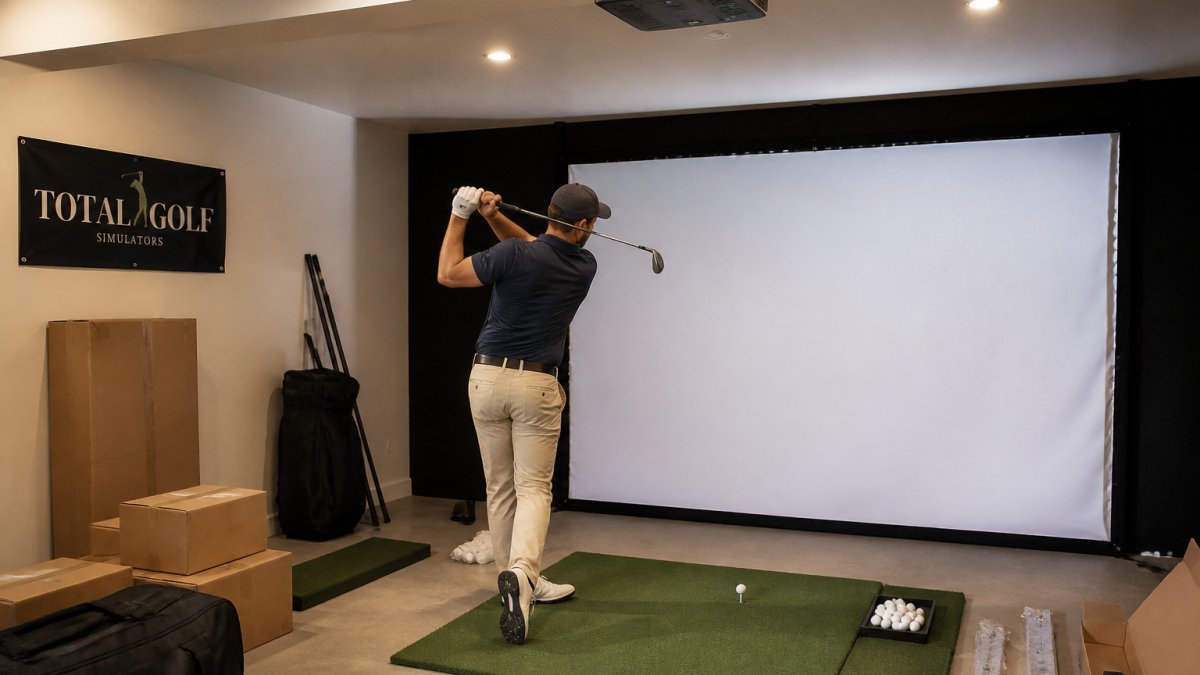
Start with the swing, not the gear. Test a full driver swing in the space before you buy. Tape a mark on the ceiling if you need a visual reference. If the club grazes it, no device fixes that. This is a safety issue first and an accuracy issue second.
Then pick the tracking type that fits the room:
Mitigation options are real, but each has a limit:
The accuracy trade-off is the part most buyers miss. A low ceiling may push you toward a specific device type. It may limit driver practice to shorter golfers. It may mean a shorter hitting area and a narrower tracking window. Those limits do not make the simulator useless, but they do mean you should test the readings, not just the swing.
How do you test accuracy in a low-ceiling room? Hit a series of shots with a mid-iron and compare the reported carry and ball speed against what you see outdoors or on a trusted launch monitor. If the numbers are consistently short or the shot shape looks wrong, the issue is likely mounting height, alignment, or line of sight, not your swing.
Accurate readings come from a repeatable setup process, not luck. Run this checklist before you trust any shot data.
Obstructions matter more than people think. A ceiling fan or light fixture in the swing path is a safety issue and a tracking issue. Move them or work around them.
Calibration is not optional. A device that is mounted correctly but not calibrated will report shot data that looks believable and is wrong. Recalibrate after moving the unit or changing the hitting area.
Getting ceiling height right is the difference between a simulator you trust and one you second-guess. The numbers are simple: 9 feet is the floor, 10 feet is comfortable, and the device you choose has its own mounting requirements. Measure the room, test the swing, and match the launch monitor to the space.
That is exactly where Total Golf Simulators helps. We offer a curated selection of overhead and floor launch monitors, a Simulator Finder Quiz to match setups to your space and budget, and expert guidance for home and commercial builds. Our team walks you through mounting heights and room dimensions before you commit.
Get started with Total Golf Simulators and build a setup that fits your ceiling and your game.
Ceiling height affects accuracy indirectly. A ceiling that is too low can force you to alter your swing, which changes club path, attack angle, and ball flight data. Overhead launch monitors also need proper mounting clearance, typically 8'9" to 10'6" above the hitting surface, to maintain a clear line of sight to the ball. If the monitor is mounted too close or obstructed, tracking data suffers. The ceiling itself does not change physics, but it changes how you swing and how the device sees the shot.
An 8-foot ceiling is tight but workable for some golfers. Most players need at least 9 to 10 feet for a full driver swing. With 8 feet, you will likely need to shorten your backswing, use shorter clubs, or focus on irons and wedges. Overhead launch monitors like the Uneekor Eye XO2 recommend around 9 to 10 feet of ceiling, so an 8-foot space may require a floor-mounted or radar-based unit instead. Test your swing before committing to any installation.
Measure from the hitting surface, not the subfloor, to the lowest obstruction overhead. Include beams, light fixtures, and ceiling fans in your measurement. Use a laser measure or tape from the mat surface straight up to the lowest point. Then add your tallest club length plus your vertical swing arc. A qualified fitter can help you test a full swing with impact tape or video to confirm clearance before you buy equipment.
Yes, for overhead-mounted units. Camera-based overhead monitors need a clear, unobstructed view of the ball and club. If a beam, light, or fan blocks the sensor or forces the unit to mount lower than recommended, tracking accuracy drops. Radar-based units are less sensitive to ceiling height but still need enough space behind the ball. Proper launch monitor placement and a clear line of sight matter more than the raw ceiling number.