
Customer Svc: 855-620-2330 -
M-Sat -9am-6pm
Speak To Customer Service - 855-620-2330 - M-Sat 9:00am - 6:00pm MST
Customer Svc: 855-620-2330 -
M-Sat -9am-6pm
Speak To Customer Service - 855-620-2330 - M-Sat 9:00am - 6:00pm MST

Last Updated: August 30, 2026
Yes, you can fit a golf simulator for 9 foot ceilings, but it requires careful planning and the right equipment choices. A 9-foot ceiling is tight but workable, it's not ideal, but it's not impossible either. The key is understanding how your player's swing mechanics, club length, and mat thickness interact with your vertical space.

Most golfers can swing comfortably in a 9-foot ceiling if you account for the full swing arc. The challenge isn't whether it's possible; it's whether you've measured correctly and chosen an enclosure that doesn't eat into your clearance. At Total Golf Simulators, we help customers solve this exact problem by matching their physical space to equipment that actually fits.
The difference between a setup that works and one that doesn't often comes down to one overlooked variable: mat thickness. A quarter-inch mat sounds negligible until you realize it's reducing your effective ceiling height. Add in a launch monitor mounted above the hitting area, and suddenly your 9-foot space feels cramped.
Below, we'll show you exactly how to assess whether your space works, what equipment fits, and how to install a golf simulator for 9 foot ceilings without constantly worrying about hitting the ceiling.
The minimum ceiling height for a golf simulator isn't a fixed number. It depends on several variables working together: your player's height, their swing plane, the clubs they use, and how much mat thickness you're adding to the floor.

Player height and swing mechanics
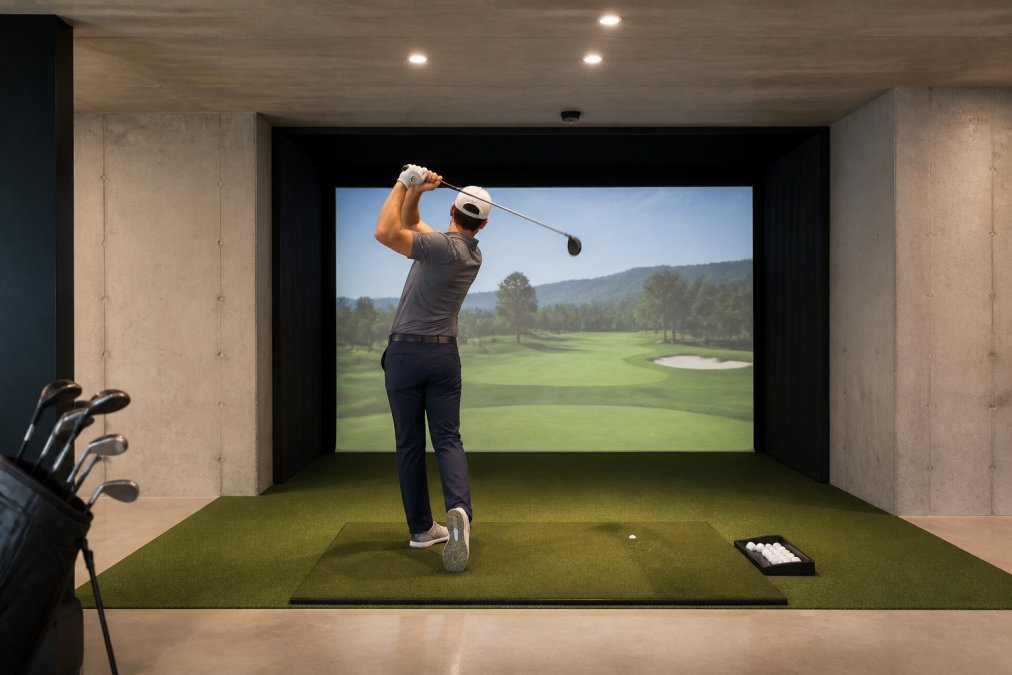
Taller players need more overhead clearance because their swing arc extends higher. A 6-foot golfer and a 5-foot-8 golfer have different swing planes, and that difference matters in a confined space. The follow-through is often where problems occur, the club extends upward and backward, and if your ceiling is too low, the club head will clip it.
A common mistake is assuming your player's height is the only factor. What actually matters is the distance from the floor to the highest point of their swing. For most golfers, this is about 2 feet above their head during the follow-through. If your player is 6 feet tall, you're looking at roughly 8 feet of clearance needed just for the swing arc alone.
Club length and swing plane
Driver swings require more vertical space than iron swings because drivers have longer shafts and a different swing plane. A driver shaft is typically 45 inches long, while a 7-iron is around 37 inches (pga.com). That 8-inch difference affects how high your follow-through extends.
The swing plane itself, the angle at which you swing, also influences clearance needs. A steeper swing plane requires less ceiling height than a shallower one. Understanding your player's natural swing plane helps you predict whether they'll actually clip the ceiling in a 9-foot space.
Mat thickness impact on effective clearance
This is where most people get caught off guard. A standard hitting mat is typically 0.75 to 1.5 inches thick (peer-reviewed research). If you add a mat to your floor, you've just reduced your effective ceiling height by that amount. A 1-inch mat means your 9-foot ceiling is now effectively 8 feet 11 inches.
Some mat systems include a base layer beneath the mat itself, which adds another 0.5 to 1 inch of height. When you combine mat thickness with a launch monitor bracket mounted above the mat, your effective clearance shrinks further. In a 9-foot space, this matters.
The absolute minimum ceiling height for a golf simulator is 8.5 feet, but that's only if your player is shorter than average and swings a controlled swing plane (pga.com). For most residential setups, 9 feet is the practical minimum. A golf simulator for 9 foot ceilings gives you a comfortable 6-inch buffer above the typical swing arc.
This 1-foot buffer is important because it accounts for variation in swing. Not every swing is identical, some follow-throughs are higher than others, especially under pressure or when trying to hit longer distances. That buffer prevents expensive mistakes.
If your ceiling is exactly 9 feet, you're in a workable range. You won't have excessive overhead space, but you'll have enough to install equipment and swing without constant concern. The setup requires intentional choices about mat thickness and launch monitor placement, but it's absolutely doable.
An enclosure creates the hitting bay and contains the ball flight. Enclosures come in standard sizes, and not all of them fit a 9-foot ceiling space efficiently.
Compact enclosure options
Smaller enclosures are designed for tight spaces. A compact enclosure typically measures 8 feet wide by 4.5 feet deep by 8 feet tall. This footprint leaves a foot of vertical clearance above the enclosure frame, which is sufficient for overhead clearance during the swing.
The DIY Golf Enclosure System from Total Golf Simulators comes in multiple sizes, including compact options that fit 9-foot ceiling spaces. The smaller configurations provide adequate hitting area while respecting your vertical constraints. At $1,349.00, this option offers flexibility, you can choose the size that matches your space and budget.

For players who want a more premium setup without sacrificing space efficiency, the Impact Sports DIY Golf Simulator Enclosure is available in a size that works in 9-foot ceilings at $1,342.00. This enclosure includes padding and poles, reducing installation complexity.
If you have more budget and want a professional-grade option, the Carl's Place Pro Golf Simulator Enclosure (2025 Model) offers premium materials and customizable sizing at $3,409.95. The upgraded BlackStop™ fabric and redesigned components make installation faster and performance more reliable.
Measuring your space accurately
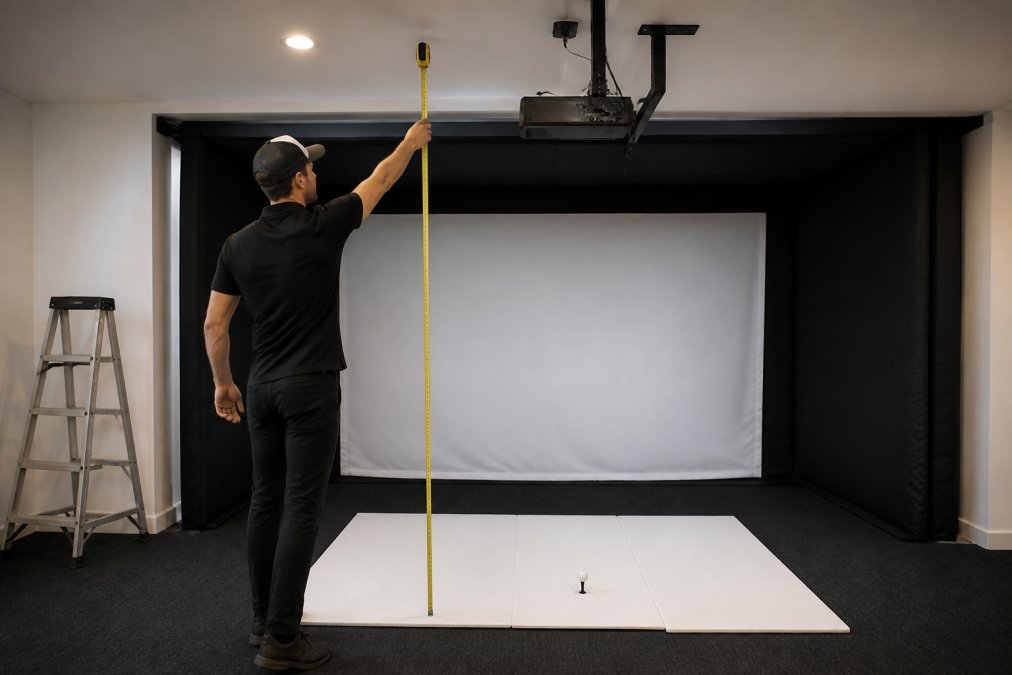
Measure from the floor to the ceiling at multiple points in your intended setup area. Ceilings aren't always perfectly level, some have slopes, beams, or HVAC ducts that reduce clearance in certain spots. Measure at the front, middle, and back of where your hitting mat will sit.
Measure the width and depth of your available space as well. Your enclosure needs to fit comfortably without crowding the room. A hitting area that's too cramped affects your swing and makes the simulator feel restrictive.
Account for the space needed for the projector and screen. The impact screen sits behind the hitting area, and the projector mounts either to the ceiling or on a stand behind you. These components need clearance and proper distance from the hitting area for accurate ball tracking.
A golf ball traveling at 160 mph will damage your ceiling if it makes contact. The impact screen catches most balls, but errant shots happen. Ceiling protection is essential in a 9-foot space where margin for error is slim.
Safety netting above and to the sides of the hitting area contains any shots that go off-line. This netting is typically black mesh that blends into the enclosure. It protects your ceiling and walls while allowing you to see the simulator display clearly.
Some players install a reinforced ceiling panel directly above the hitting area. This is a sheet of high-impact material that absorbs ball strikes without damage. It's an additional cost, but it's insurance against expensive ceiling repairs.
The enclosure frame itself provides some protection. A quality enclosure is engineered to contain ball flight within its boundaries. The frame, padding, and screen work together to manage impact energy. Cheaper enclosures sometimes fail to contain errant shots effectively, which is why equipment quality matters in a tight space.
Installing a golf simulator for 9 foot ceilings requires methodical planning. These steps ensure your setup works safely and performs reliably.
Step 1: Verify clearance with your player's swing arc
Before buying any equipment, have your player stand in the intended hitting area and simulate their swing. Use a stick or broomstick to represent a driver shaft. Swing it through your normal motion and note how close it comes to the ceiling. This real-world test reveals problems that measurements alone might miss.
If the stick clears the ceiling comfortably (at least 12 inches), you're in good shape. If it's closer than that, you need to reconsider your space or your equipment choices.
Step 2: Select an enclosure that fits your dimensions
Choose an enclosure sized for your space. Don't buy the largest enclosure available and hope it fits. Measure twice, then select an enclosure that leaves at least 1 foot of clearance above the frame.
Total Golf Simulators offers multiple enclosure sizes. The compact options are specifically designed for spaces like yours. The DIY Golf Enclosure System and Impact Sports enclosures both provide sizing flexibility.
Step 3: Install the hitting mat and launch monitor
Lay your hitting mat in the enclosure. Position your launch monitor according to the manufacturer's specifications, typically 2 to 3 feet behind the mat. The launch monitor needs a clear line of sight to the ball at impact.
Mount the launch monitor on a stable bracket. Movement during the swing affects accuracy. Use a sturdy, adjustable mount that allows you to fine-tune the sensor position after installation.
Step 4: Position the projector and impact screen
Mount the impact screen to the enclosure frame at the far end of the hitting area. The screen should be positioned 10 to 12 feet away from the mat for realistic ball flight visualization.
Mount the projector to the ceiling or on a rear stand. The projector needs to aim at the screen without obstruction. In a 9-foot ceiling space, a ceiling mount is often the most practical choice because it saves floor space and keeps the projector out of your swing path.
Calibrate the projector to the screen size and distance. Proper calibration ensures the virtual ball flight aligns with the actual ball impact. Misalignment makes the simulator feel inaccurate and frustrating to use.
The most common mistake is underestimating mat thickness. Players buy a mat without accounting for how it reduces effective ceiling height. By the time they realize the issue, they've already purchased equipment that doesn't fit comfortably.
Another mistake is choosing an enclosure that's too large for the space. A bigger enclosure seems better, but in a 9-foot ceiling, it leaves no clearance buffer. You end up constantly aware of the ceiling, which ruins the experience.
Many people also fail to account for the launch monitor mounting height. A launch monitor bracket adds 6 to 12 inches to the effective height of your equipment. In a tight space, this matters.
Inadequate safety netting is another problem. Some installations skip netting to save cost, then regret it after the first errant shot damages the ceiling. The netting is inexpensive compared to ceiling repair.
Finally, some players don't test their swing in the actual space before committing to the setup. They measure from a distance, make assumptions, and then realize the ceiling is too low when they're actually swinging. The real-world swing test is non-negotiable.
A 9-foot ceiling is a genuine constraint, but it's not a barrier to building a functional golf simulator for 9 foot ceilings. The setup requires intentional equipment choices and accurate measurements, but thousands of golfers practice year-round in spaces just like yours. Total Golf Simulators specializes in helping customers solve exactly this problem. Our enclosure options, launch monitors, and hitting mats are specifically selected to work in residential spaces with real-world limitations. Start with our Simulator Finder Quiz to match your space and budget to equipment that actually fits, or contact our team for personalized guidance on your 9-foot ceiling setup. With the right approach, you'll have a reliable practice environment that works within your space constraints.
Yes, a 10-foot ceiling works for golf simulators, but it requires careful planning. Most players can complete a full driver swing with 10 feet of clearance when the hitting mat is positioned correctly and you account for projector placement. However, taller players (6'3" and above) may need to adjust their swing plane or choose a compact enclosure. The key is measuring your specific space and player height before purchasing equipment.
The minimum ceiling height for a golf simulator depends on the player's height and swing style. Standard recommendations range from 9 to 10 feet for average-height golfers (5'8" to 6'). Taller players may need 10.5 to 11 feet. If you have exactly 10 feet, position the hitting mat at least 6 inches from the back wall and use a low-profile projector mount to maximize overhead clearance. A professional assessment of your swing arc ensures you won't hit the ceiling during your backswing or follow-through.
Ceiling protection for golf simulators involves several strategies. Install safety netting or impact-resistant panels above the hitting area to catch errant shots. Use a padded ceiling frame or protective foam on any exposed overhead surfaces. Position your impact screen high enough that it absorbs most shots before they reach the ceiling. Many premium enclosures, like the Carl's Place Pro Golf Simulator Enclosure, include built-in protective features. For 10-foot ceilings, overhead clearance is limited, so protective solutions are essential to prevent damage and ensure safety.
A 10-foot ceiling allows most players to complete a full driver swing, but swing plane matters significantly. Average-height golfers (5'8" to 6') can swing freely with proper setup. Taller players may need to adjust their swing plane slightly or use a shorter backswing. The hitting mat position, projector placement, and enclosure height all affect available space. Test your swing arc before finalizing equipment purchases. Many golfers in 10-foot spaces successfully use drivers by positioning equipment strategically and understanding their personal swing mechanics.
This article was written using GrandRanker