
Customer Svc: 855-620-2330 -
M-Sat -9am-6pm
Speak To Customer Service - 855-620-2330 - M-Sat 9:00am - 6:00pm MST
Customer Svc: 855-620-2330 -
M-Sat -9am-6pm
Speak To Customer Service - 855-620-2330 - M-Sat 9:00am - 6:00pm MST

Last Updated: October 27, 2026
Quick Summary
Golf launch monitors work by measuring only the first few feet of ball travel, then using software to model the rest of the flight. Sensors capture ball speed, launch angle, and spin, and a flight model calculates carry, apex, and total distance. The whole chain from impact to screen typically takes under two seconds.
A golf launch monitor works by watching a small slice of time, roughly the first few feet of ball travel, and turning what it sees into numbers you can act on. The unit captures a measurement, the software converts that measurement into ball flight, and you get feedback. That is the whole trick behind how golf launch monitors work explained in plain terms.
The 7 steps below cover the full chain, from the moment you address the ball to the moment a carry distance appears on screen. We will also show you how the raw sensor data becomes the numbers you see.
The first four steps happen in a blink. The last three are where the real work gets done, and where understanding the difference between measured and modeled data helps you interpret every reading.
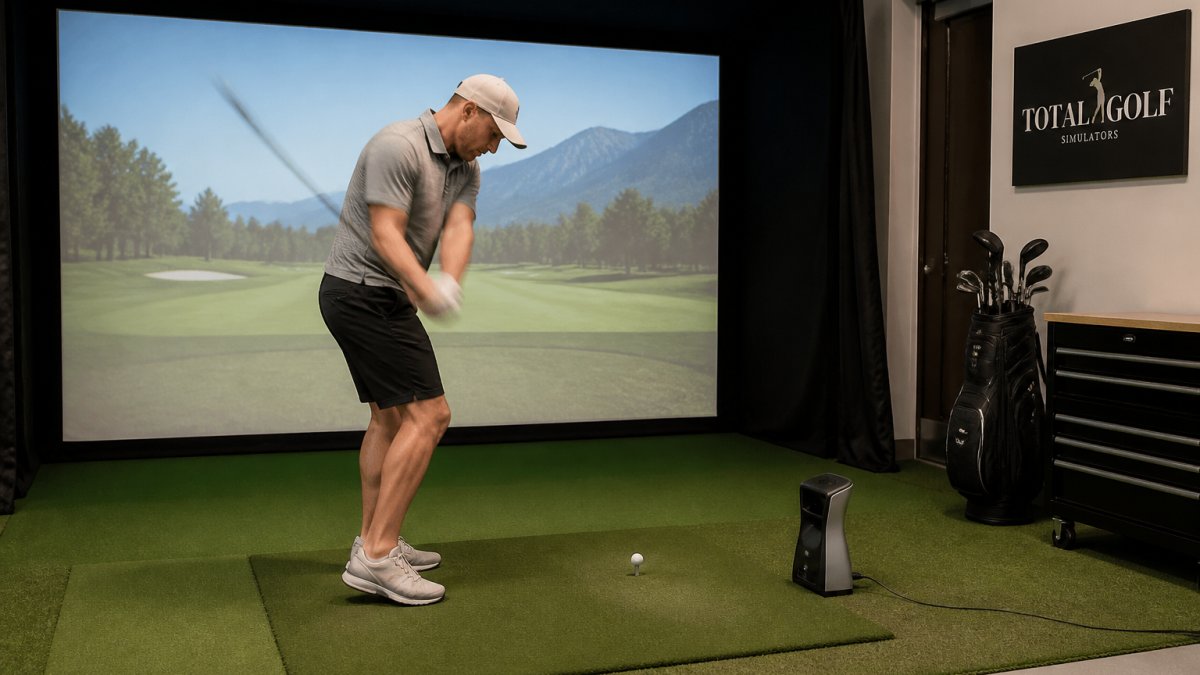
A launch monitor measures two families of data: ball data and club data. Ball data covers what the ball did after impact. Club data covers how the club arrived at the ball. Put together, they explain why a shot went where it went.
Ball metrics usually include ball speed, launch angle, launch direction, spin rate, spin axis, carry distance, total distance, apex height, and descent angle. Club metrics usually include clubhead speed, club path, face angle, angle of attack, and dynamic loft.
Here is the part most buyers never hear: not every number on the screen was actually measured.
Carry distance is a projection. No unit follows your ball 250 yards downrange. It reads the first few feet and runs a flight model from there. That model is good, but it is a model.
Smash factor is simple division: ball speed divided by clubhead speed. It is a ratio, not a sensor reading, and it tells you how efficiently you transferred energy into the ball.
Radar and camera systems both produce accurate data, but they watch the shot in completely different ways, and those differences determine where each technology works best, what can throw readings off, and how much space you need.
Radar-based systems send out a continuous microwave signal and listen for the Doppler shift as the club and ball move through it. They track the clubhead and ball over several feet of travel, which lets them measure ball speed, launch angle, and direction directly from the Doppler history. Radar excels at tracking the full flight path and works well outdoors or in larger indoor bays.
Camera-based (photometric) systems take a burst of high-speed images right at impact and compare the ball's position frame by frame. They capture club and ball detail at impact with high precision, often using stereo cameras to triangulate 3D position.
Hybrid systems combine radar and camera sensors to cover each other's weaknesses, for example, using radar for ball flight tracking and cameras for club and impact data. They cost more but offer broader accuracy across both indoor and outdoor setups.
Here is a practical comparison of the key trade-offs:
Factor |
Radar |
Camera (Photometric) |
Hybrid |
|---|---|---|---|
Space behind ball |
6-10 ft typical |
6-8 ft typical |
Varies, often 6-10 ft |
Space to screen |
Longer (8-10+ ft) |
Shorter (6-8 ft) |
Moderate |
Lighting sensitivity |
Low |
High (needs even light) |
Moderate |
Indoor clutter sensitivity |
High (metal, fans) |
Low |
Moderate |
Ball marking for spin |
Not required |
Sometimes required |
Not always required |
Full flight tracking |
Strong |
Limited (model-based) |
Strong |
Typical cost |
Lower to mid |
Mid to high |
High |
For a deeper breakdown, our guide on radar vs camera launch monitors walks through the trade-offs in detail.
Garmin Approach R50 Indoor & Outdoor Launch Monitor w/Built-In Simulator →
Every number on the screen answers a specific question about your swing. Read them as a set, not one at a time.
A common mistake is chasing one metric in isolation. Chasing ball speed without watching strike location usually makes the swing worse.
Accuracy depends as much on setup as on the hardware.
What throws readings off most often:
Watch out: skipping calibration after you move a unit is the fastest way to get readings you cannot trust. If you care about reading accuracy above all else, our breakdown of the best golf launch monitors for accuracy covers which units hold up best.
Indoor setup comes down to three things: enough space, straight alignment, and even lighting. Get those right and most units perform close to their outdoor best.
Here is a simple setup checklist:
Tall players should measure their swing arc before committing. Our guide on building a home golf simulator covers space planning in detail.
The right unit is the one that matches your space and your goals, not the one with the longest feature list. Start with where you will hit, then work backward.
A quick way to sort the options:
If you... |
Look for |
Why |
|---|---|---|
Practice indoors in a tight bay |
Camera-based unit |
Works in small hitting zones |
Want range and outdoor use |
Radar-based unit |
Tracks full flight well |
Want a built-in simulator |
All-in-one unit |
Fewer add-ons to buy |
Need portability |
Compact unit with case |
Easy to move around |
Our current picks:
For a full comparison, our launch monitor buyer's guide matches units to simulator setups. You can also browse launch monitors to compare options directly.
Total Golf Simulators carries a curated lineup of launch monitors, from the portable Garmin Approach R10 to the camera-based TruGolf Apogee, backed by our Price Match Guarantee and free shipping on most items. Our Simulator Finder Quiz matches a setup to your space and budget in a few minutes. Get started with Total Golf Simulators and turn your spare room into a year-round practice bay.
A launch monitor uses sensors to capture data about a shot and presents measurements or calculated outputs. For example, the Garmin Approach R50 uses three high-speed cameras and provides more than 15 ball and club metrics.
The Garmin Approach R10 tracks more than a dozen golf metrics. The Garmin Approach R50 provides direct measurements of more than 15 ball and club metrics.
The product listings describe different launch monitor features. The Garmin Approach R50 uses three high-speed cameras and works inside or on the driving range. The Garmin Approach R10 is portable and can be used at home, indoors, or on the driving range.
It depends on the model. The TruGolf Launch Box includes E6 CONNECT Home and 30 courses with no annual subscription. The Garmin Approach R10 is compatible with E6 CONNECT, which is not included.
