
Customer Svc: 855-620-2330 -
M-Sat -9am-6pm
Speak To Customer Service - 855-620-2330 - M-Sat 9:00am - 6:00pm MST
Customer Svc: 855-620-2330 -
M-Sat -9am-6pm
Speak To Customer Service - 855-620-2330 - M-Sat 9:00am - 6:00pm MST

Last Updated: September 7, 2026
The used golf simulator market is tempting for beginners, but the math often falls apart after the initial purchase. A pre-owned launch monitor might save you a few hundred dollars upfront, only to cost you more in software transfer fees, missing parts, and outdated technology. The answer is rarely as simple as the listing price suggests. This guide breaks down the real costs, the reliability risks, and whether buying a used golf simulator is worth it for beginners in 2026.
A used golf simulator is a complete simulation system purchased secondhand, typically including a launch monitor, hitting net or enclosure, and sometimes a projector. The appeal is obvious: you get the hardware at a discount. But beginners face unique risks with pre-owned gear, because they lack the experience to spot worn components or obsolete technology that an advanced player would recognize immediately.
Below, we will walk through the financial reality, the inspection checklist, and the hidden costs that most buyers discover only after the return window closes.
A used golf simulator is only a bargain if the total cost of ownership stays below a new entry package. When you see a listing for a launch monitor at a steep discount, the actual savings often evaporate once you account for what is missing.
Most used listings exclude the essentials: a quality hitting mat, a proper net or impact screen, and the software subscription. The launch monitor is the centerpiece, but it is useless without the surrounding setup. A used monitor at $800 might seem smart until you add a $200 net, a $150 mat, and a $300 annual software fee.
Consider what a beginner actually needs for reliable practice:
When you price those components new, the gap between "used deal" and "new package" narrows considerably. The Consumer Reports guide on long-term ownership costs notes that electronics with moving parts and sensors typically require replacement or repair within five years, which directly applies to used launch monitors.
Used launch monitor reliability is the single biggest risk in a pre-owned purchase. These devices contain accelerometers, cameras, and radar components that can drift out of calibration after years of use or rough handling during shipping.
Before committing to a used launch monitor, inspect these specific areas:
The calibration question matters most. A launch monitor that reports incorrect spin rate or club head speed will teach you bad habits (PubMed). Beginners building swing mechanics need accurate feedback loops, and a faulty unit breaks that loop entirely.
The hidden costs of used hardware extend far beyond the purchase price. Software licensing is the biggest trap for beginners buying pre-owned systems.
Most launch monitor manufacturers tie software licenses to the original purchaser. Transferring a license to a new owner often requires a fee, and some brands refuse transfers entirely. That "great deal" on a used monitor becomes worthless if you cannot access course simulation or advanced practice modes without buying a full-price license.
Wear items add another layer. Hitting mats degrade, with the hitting strip compressing over time and transmitting shock to your joints. Replacement strips cost real money. Impact screens develop wear patterns and eventually need replacement, especially if the previous owner used them heavily.
A common approach that saves beginners money: buy the launch monitor used only if the license transfers cleanly, then purchase new for everything else. The components that touch the ball, the mat and screen, take the most abuse and are not worth buying secondhand.
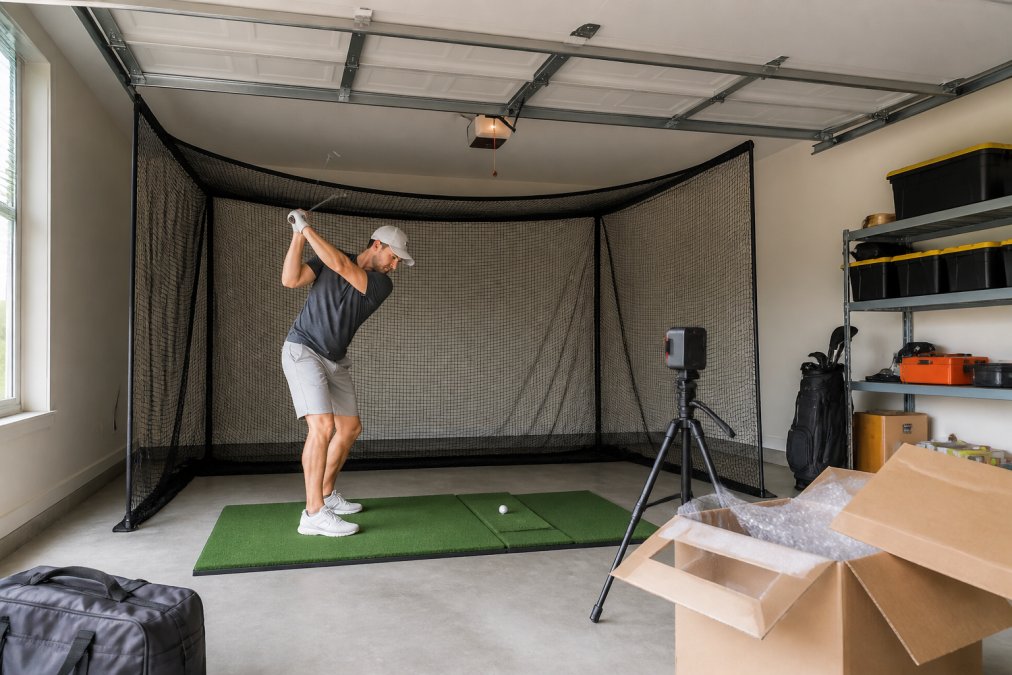
Beginners frequently underestimate spatial requirements when buying any simulator, new or used. Ceiling height is the first constraint. For a full swing with a driver, you need roughly 9 to 10 feet of clearance, depending on your height and swing plane. A 10-foot basement ceiling works, but anything less forces you to use shorter clubs or adjust your swing, which defeats the purpose of practice.
The hitting area itself needs depth for the ball flight and room behind you for the backswing. A typical setup requires about 10 feet from the screen to the hitting mat and another 6 to 8 feet behind the ball position. Enclosures and impact screens need proper mounting to handle repeated strikes.
Safety is the overlooked factor. A used enclosure might have weakened seams or a compromised impact screen that no longer stops balls at full speed. A ball passing through a worn screen can damage walls, windows, or people. Verify the structural integrity of any used enclosure before trusting it with full-power shots.
For most beginners, a new entry-level package from a specialist retailer is a smarter shop indoor golf alternative than chasing used deals. The warranty, software support, and guaranteed compatibility are worth the premium over uncertain pre-owned hardware.
The Garmin R10 Intro Sim Golf Package at $1,497.00 gives beginners everything needed to start practicing immediately. It pairs the Garmin Approach R10 launch monitor with The Net Return Pro Series net and a Country Club Elite hitting mat. The R10 tracks more than a dozen golf metrics, records video of each shot, and supports virtual rounds through the Garmin Golf app.

What makes this package ideal for beginners is the feedback loop. The R10 provides detailed dispersion charts and swing consistency data, while the Country Club Elite mat delivers realistic turf feel with joint protection. You get accurate ball flight data without the calibration risks of used hardware.
For golfers wanting a larger hitting area, the Garmin R10 Starter Package at $1,929.00 upgrades to the Net Return Pro with a patented S-Shape design and the Carl's Place Hot Shot Hitting Mat System with interchangeable insert strips.

The comparison between new entry packages and pre-owned systems comes down to risk versus savings. Here is how the options stack up for a beginner:
| Option | Upfront Cost | Software Access | Warranty | Risk Level |
|---|---|---|---|---|
| Used full system | Varies widely | Often requires transfer fee | None | High |
| Used launch monitor only | Lower | May not transfer | None | High |
| New intro package | $1,497.00 | Full access included | Manufacturer warranty | Low |
| New starter package | $1,929.00 | Full access included | Manufacturer warranty | Low |
The used market makes sense for experienced players who know exactly what they need and can inspect hardware properly. Beginners lack that reference point. A new package eliminates the variables: you know the launch monitor is calibrated, the software license is active, and the components are designed to work together.
The FlightScope Mevo Gen 2 Intro Golf Sim Package at $2,037.00 offers another strong entry point with detailed ball and club data for practice with purpose. For those wanting a projector-based experience, the Flightscope/Red Stakes Golf Under $2.4K package at $2,408.16 includes an Optoma short-throw projector for a fully immersive setup.

Once your simulator is set up, the quality of your practice determines whether the investment pays off. A used or new simulator is only as valuable as the practice routine you build around it.
Beginners see the fastest improvement by focusing on swing consistency rather than ball flight data. Start every session with the same warm-up: 20 shots with a wedge, focusing on solid contact and repeatable tempo. Then move to half swings before progressing to full swings.
Structure your practice around specific goals:
The launch monitor data matters most for swing analysis. Watch your club head speed, spin rate, and carry distance trends across sessions. Improvement shows up as tighter dispersion patterns, not necessarily longer distances. The PGA of America guidance on practice routines emphasizes that deliberate, structured practice produces faster skill gains than unstructured hitting.
A used golf simulator is worth it for beginners only under specific conditions: the launch monitor is current-generation, the software license transfers without fees, and the surrounding components are in verified condition. Those conditions are rare enough that most beginners should choose a new entry package instead.
The depreciation curve on golf simulator hardware is steep in the first year, which makes used listings tempting. But that same depreciation means the previous owner absorbed the cost of the technology becoming outdated. Launch monitors improve rapidly, and a two-year-old unit may lack features that are now standard in new models at similar prices.
For beginners, the decision comes down to practice efficiency. A new system works from day one. A used system requires inspection, troubleshooting, and potentially additional purchases. Every hour spent fixing equipment is an hour not spent practicing.
Total Golf Simulators offers a Simulator Finder Quiz to match your space and budget with the right equipment, plus a Price Match Guarantee and free shipping on most items. Our team provides expert guidance for home and commercial setups, ensuring your launch monitor, enclosure, and projector work together seamlessly.
Buying a used golf simulator is a gamble that beginners rarely need to take. The uncertainty around launch monitor calibration, software licenses, and worn components creates hidden costs that erase the upfront savings. New entry packages from Total Golf Simulators deliver calibrated hardware, active software, and manufacturer warranties, so your practice time goes into your swing, not your equipment. Get started with Total Golf Simulators and build a simulator that works reliably from the first swing.
Most launch monitors from major brands last five to ten years with proper care, but the optical sensors and radar components are sensitive. A used unit may have degraded accuracy after years of travel or impact. Check for firmware update support, as older models may lose compatibility with new software. For beginners, buying new ensures you get the full warranty and the latest sensor technology, which matters more for reliable ball flight data than saving a few hundred dollars.
Beyond the purchase price, factor in software subscription transfers, which often require paying a license transfer fee or buying a new subscription entirely. Used impact screens and hitting mats may need immediate replacement due to wear, adding $200 to $500 to your total. Shipping costs for heavy enclosures and screens can also be significant. When you add these expenses, a used system often costs nearly as much as a new starter package with a full warranty.
Yes, but only if the launch monitor provides accurate, consistent data. Beginners benefit most from immediate feedback on club head speed, spin rate, and carry distance. A reliable setup creates a feedback loop that builds swing consistency. However, a faulty used unit will teach you incorrect patterns. Newer entry-level packages, like the Garmin R10 Starter Package, are designed for beginners and provide the essential metrics without overwhelming you.
A used system might seem cheaper upfront, but the risks of hidden damage and missing software licenses can erase those savings. A better shop indoor golf alternative is to buy a new, all-in-one package designed for beginners. Packages like the Garmin R10 Intro Sim Golf Package deliver a complete, compatible setup with a warranty and customer support, giving you a lower total cost of ownership and peace of mind that the equipment will work together.