
Customer Svc: 855-620-2330 -
M-Sat -9am-6pm
Speak To Customer Service - 855-620-2330 - M-Sat 9:00am - 6:00pm MST
Customer Svc: 855-620-2330 -
M-Sat -9am-6pm
Speak To Customer Service - 855-620-2330 - M-Sat 9:00am - 6:00pm MST

Last Updated: October 31, 2026
Quick Summary
The best golf simulator software for corporate events is platform-agnostic in principle, but it should support fast session start and reset, team scoring, branded leaderboards and beginner-friendly formats like scramble. Choose software that runs many guests through quickly, not software built only for serious practice.
Corporate golf events are about competition, networking and seeing your name on a branded screen by night's end. Choosing the right golf simulator software for corporate events determines whether that experience feels polished or clumsy.
Most buyers focus on hardware first. That's understandable, but it's the wrong starting point for an event. Software controls how fast guests rotate through a bay, how easily teams compete, and whether results appear in a way worth sharing.
Corporate events put different demands on software than a home setup. A homeowner plays with one or two people for hours. An event might need 40 guests cycling through in an afternoon, many new to golf.
Here's what usually matters most:
A common mistake is choosing software built for serious practice. Match the software to the crowd, not just to the golfer.
Tournament modes are where corporate events are won or lost. The format you run shapes the entire evening, so compare these carefully before you buy.
Use this framework to score each software platform on the dimensions that actually matter for a corporate outing:
Most corporate events rely on a small set of formats. Confirm each is supported natively rather than requiring manual setup:
If your event relies on a specific contest, ask the vendor to demonstrate it live during the demo, not just confirm it exists on a feature list.
Team play is the heart of most corporate outings. It turns individual results into shared stakes and gives colleagues something to rally behind.
Check how each platform handles team scoring. Some combine individual scores into a team total automatically. Others require manual tallying, which slows the room down.
For mixed skill levels, look for handicap or adjustable difficulty settings. A new player and a scratch golfer should still have a fair shot at winning a team round.
During a live event, the operator needs to pause play, correct a scoring error, or restart a round without rebooting the software. Ask these questions during the demo:
A platform that requires a full restart to fix a scoring mistake will cost you minutes per incident, and those minutes add up over a three-hour event.
The table below summarises the built-in game formats the article recommends checking, and what each one is best suited for.
Format |
Best for |
Key difference |
|---|---|---|
Scramble |
Mixed-skill teams |
Team plays the best shot from each position |
Best ball |
Rewarding individual skill |
Each player plays own ball; team takes lowest score |
Closest-to-the-pin |
Side contest or tiebreaker |
Single-shot contest |
Longest drive |
Distance-based side contest |
Measures distance, not score |
Skins or stroke play |
Smaller groups or playoffs |
Individual formats |
A live leaderboard keeps energy high. Guests can see where they stand after every shot, which drives the friendly competition that makes these events memorable.
When comparing platforms, ask these questions:
Branded displays matter for trade shows and client entertainment, where the event is also a marketing opportunity. Extending this visual consistency beyond the screen to physical custom tournament items ensures that the corporate identity remains tactile and memorable long after the final round concludes.
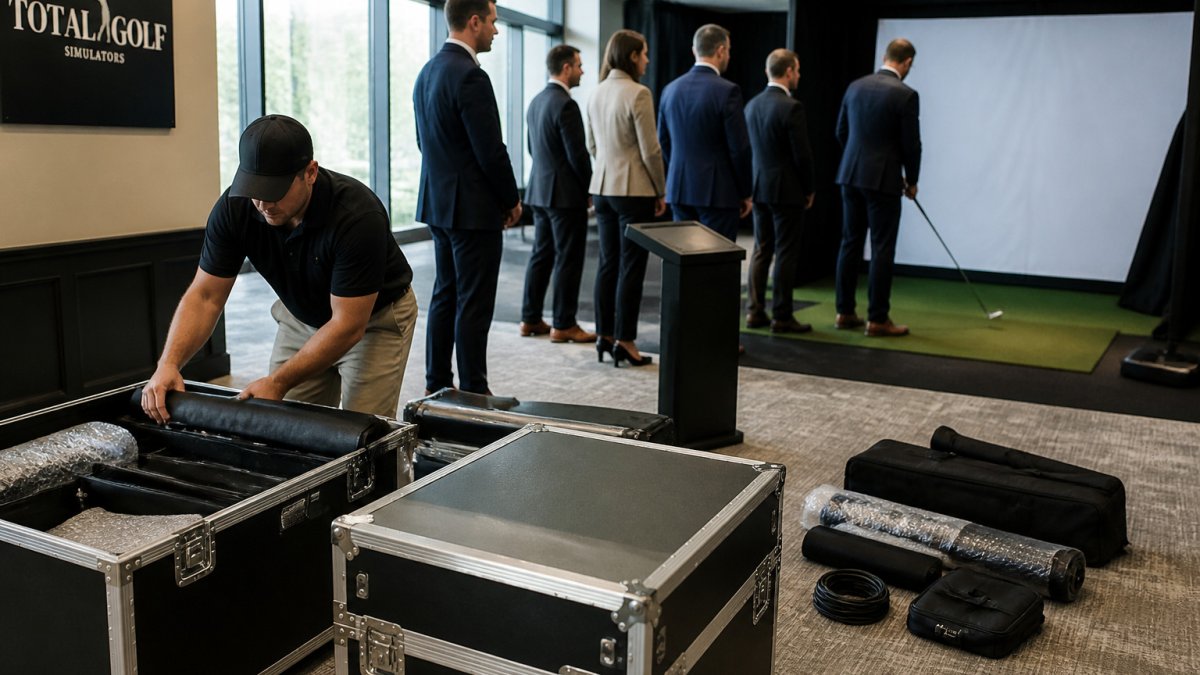
Trade shows and conferences impose constraints that a fixed home bay never faces. Setup time, teardown time and network reliability all become real concerns.
Before you buy, confirm three things. First, how long the software takes to install and calibrate on a new site. Second, whether it runs on a laptop or needs a dedicated machine. Third, whether it works on venue Wi-Fi or needs a stable wired connection.
Good software can't rescue a poorly planned room. For the step-by-step installation process, see the commercial golf simulator installation guide.
A practical planning checklist:
Guests lining up for a turn is a sign the flow is working. A gap of several minutes between turns means the setup needs adjusting.
The sticker price of software is only part of the picture. Ongoing subscription fees, support plans and any required hardware upgrades all add to the total cost of running an event program.
Ask the vendor to explain which licensing model applies to your use, and what it includes for updates, support and commercial event use.
Ask the vendor for a written quote that separates the software license, support plan, and any required hardware, so you can compare line items across vendors. For realistic installation cost figures to set against software and hardware spend, see the turnkey home golf simulator installation cost guide.
Beyond the license fee, planners should budget for these categories:
Hardware compatibility deserves the same scrutiny as pricing. Confirm that your chosen software works with your launch monitor and projector before purchase. A mismatch discovered on event day is expensive to fix.
Key compatibility questions to ask:
Trade shows and conferences impose constraints that a fixed home bay never faces. Setup time, teardown time and network reliability all become real concerns.
Ask the vendor to provide a written checklist of what the software needs at the venue: power requirements, network access, display inputs, and physical space. Share that checklist with the venue coordinator before the event to avoid surprises on setup day.
If you're weighing these options for an upcoming event, Total Golf Simulators can help you match the software, hardware and room layout to your guest count and budget.
Reach out to discuss your event date, expected guest count and branding needs, and we'll help you plan your setup. For a view of how luxury, resort-grade installations are scoped and priced for high-visibility group use, see the Luxury Golf Simulator for Resorts buyer's guide.
The best choice depends on your event goals. For team play and branding, look for software that supports multiplayer tournament modes, custom logos on the leaderboard, and fast player rotation. For guest engagement, prioritize simple onboarding that lets people start without an account. Total Golf Simulators can help you match software to your hardware and event format; contact the team or visit the website for current pricing and a quote, since costs vary by quantity, dates and delivery.
Look for software that offers closest-to-the-pin, longest drive, and team competition formats in a single session, along with a scoring system that tracks each player across rounds. Confirm the software can run multiple players in turn order and display results in real time. Ask your provider which tournament formats are included in the base license and which require add-ons, so you know the full cost before booking.
Many simulator platforms can show real-time leaderboards on a screen or tablet, and some allow branded leaderboards with your company logo. Check that the display updates as shots are recorded and that results can be shown to guests in the event area. Confirm the leaderboard feature works with your launch monitor, since compatibility differs between hardware and software combinations.
Bay count depends on guest numbers, event length, and how long each player spends in a round. A short tournament format usually moves guests through faster than open play. Estimate total guests, divide by the number of players per round, and factor in rotation time. Plan a buffer for setup and breaks, and confirm your software can handle the number of simultaneous players you expect.
