
Customer Svc: 855-620-2330 -
M-Sat -9am-6pm
Speak To Customer Service - 855-620-2330 - M-Sat 9:00am - 6:00pm MST
Customer Svc: 855-620-2330 -
M-Sat -9am-6pm
Speak To Customer Service - 855-620-2330 - M-Sat 9:00am - 6:00pm MST

Last Updated: November 3, 2026
Quick Summary
An office golf simulator earns its floor space by turning dead square footage into a shared amenity that serves recruiting, retention, and client relationships at once. It gives coworkers a low-pressure reason to connect and gives clients an activity they will actually show up for, in your own building and on your own schedule.
An office golf simulator is a commercial-grade indoor golf system installed in a workplace, combining a launch monitor, impact screen, projector, and hitting bay to give employees and clients a year-round place to play. At Total Golf Simulators, we build these setups for offices that want a real amenity rather than a novelty. The case for one is straightforward: it turns dead square footage into a space people actually use, and it does so in a way that serves recruiting, retention, and client relationships at once.
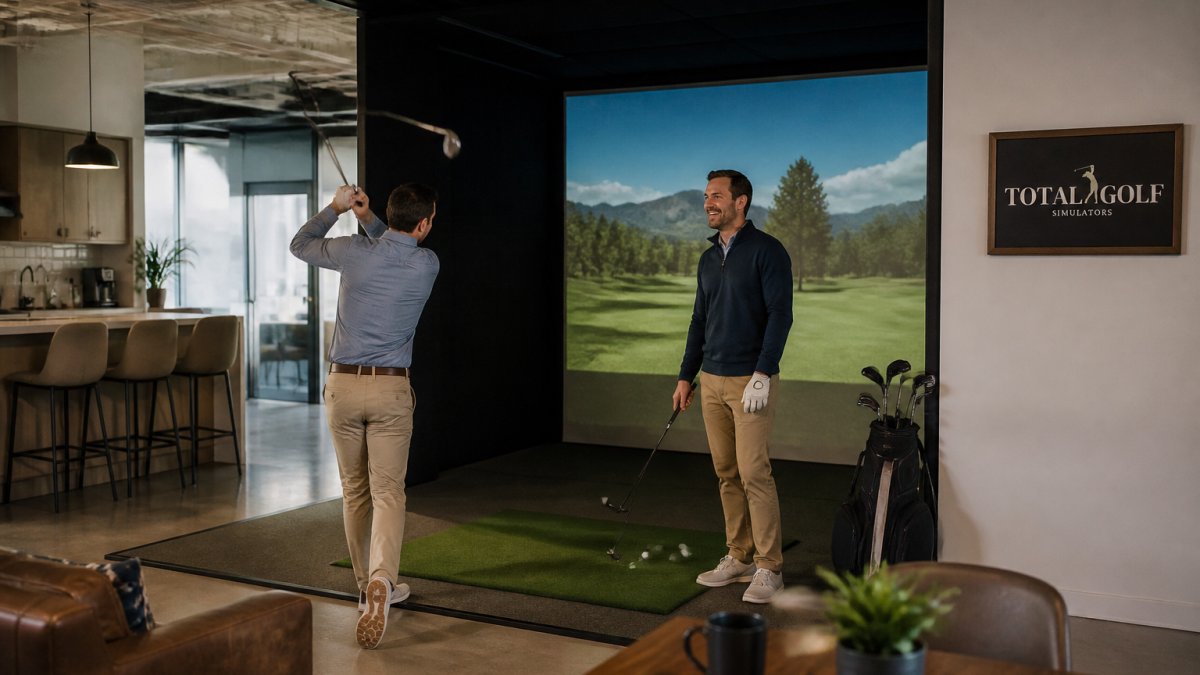
The offices that get real value from a simulator design it into how the space is used, from the weekly league to the client visit. Below, we walk through seven reasons it earns the floor space, plus the cost, space, and tax questions that decide whether it makes sense for your building.
The strongest argument for an office golf simulator is not golf. It is that shared, low-pressure activities give coworkers a reason to talk to each other outside of meetings. A simulator bay creates a natural gathering point where a foursome forms in minutes and a beginner can play alongside a scratch golfer without holding anyone up.
Client entertainment budgets often go to dinners and tickets that are pleasant but forgettable. A simulator gives you something different: an activity that clients will actually show up for, in your own building, on your own schedule. It works for prospect meetings, closing celebrations, and the informal networking that builds relationships over time.
If you want a deeper look at which platforms handle corporate events well, see our guide to golf simulator software for corporate events. The right pairing of hardware and software is what separates a memorable client visit from a stalled demo.
Commercial golf simulator cost is not a single number, it is a stack of line items that scale independently, and offices that budget only for the launch monitor end up surprised by the enclosure, projector, and installation bill. The honest way to plan is to price each layer separately and then add a multi-year operating reserve on top.
Hardware tiers. Commercial launch monitors split into two broad price bands.
Enclosure and bay build. The enclosure is the second-largest line item and the one most affected by your room. A built-in room kit, such as the Carl's Place Built-In Golf Room Kit, delivers a polished, permanent look, while the Vanish Series retractable enclosure lets the room serve double duty. Maximizing the utility of your office floor plan often requires balancing these golf installations with premium game tables to ensure the space remains versatile for all employees.
Projector and lighting.
Hitting mat and turf.
Software subscriptions.
Installation and facility work.
Component |
What Drives the Price |
Ongoing Cost |
|---|---|---|
Launch monitor |
Radar vs. camera, data accuracy, brand tier |
Software subscription |
Enclosure |
Fixed room kit vs. retractable vs. foldable |
Screen replacement over time |
Projector |
Brightness for ambient light |
Bulb or laser life |
Hitting mat |
Thickness, commercial vs. residential grade |
Replacement over time |
Installation |
Ceiling height, mounting, electrical, network |
Facility management time |
Software |
Course library, event formats, per-bay vs. per-facility |
Annual or monthly subscription |
Total cost of ownership. The number that matters is not the purchase price, it is the purchase price plus three to five years of subscriptions, screen and mat replacement, and facility time. Offices planning to stay in place for several years usually find that purchase wins on total cost of ownership, while short leases and pilot programs favor rental. For the ongoing side of the ledger, our breakdown of commercial golf simulator maintenance costs covers what to budget after installation.
Watch out: quoting a single all-in price before you know your ceiling height and room dimensions is the most common budgeting error, the enclosure and installation line items can swing widely based on the room, so get a site-specific quote before you set the budget.
Buying gives you an asset you depreciate and control. Renting lowers the upfront outlay but trades away long-term ownership. For offices planning to stay in place for several years, purchase usually wins on total cost of ownership. For short leases or pilot programs, rental removes the risk of a sunk cost.
An indoor golf simulator for rent is the better call when your commitment is uncertain. If you are testing whether employees will use the amenity, leasing a short-term office, or running a single seasonal event, renting avoids the capital outlay and the installation footprint of a permanent build.
Vanish Series® Retractable Golf Enclosure →
Rental also fits shared or multi-tenant spaces where the building owner controls modifications. The trade-off is less control over the hardware and software you get. If you are weighing a fixed enclosure against flexible alternatives, our guide to alternatives to permanent golf simulator enclosures lays out the options, including retractable and foldable designs that give you a permanent-quality experience without a permanent footprint.
Ceiling height is the first spec that decides whether a bay is viable. A full driver swing needs clearance well above the tallest player, and low ceilings force compromises on club selection. Beyond height, you need enough depth behind the screen for safety and enough width for a comfortable stance and backswing.
The installation footprint also depends on the enclosure type. Retractable and foldable designs let a room serve double duty, while a built-in room kit gives the most polished, immersive result. For the full set of space and installation requirements before you commit floor space, see our commercial golf simulator setup requirements.
Two things get overlooked in office installs: sound and light. A golf ball hitting an impact screen is loud, and in a shared office that noise travels. Acoustic treatment around the bay, plus a solid enclosure with padding, keeps the sound contained so the simulator does not disrupt the people working nearby.
Lighting matters just as much. Projector brightness has to compete with office ambient light, and glare on the screen ruins the experience. Control the light around the bay and match projector brightness to the room. On safety, keep the hitting area clear of walkways and set a simple rule about who swings when. Our guide to optimizing lighting and acoustics for indoor golf centers covers the practical fixes.
A golf simulator is business equipment, and how you treat it on your tax return changes the after-tax economics of the purchase more than most buyers expect. The rules below are the ones business owners ask about most, but tax law changes and eligibility depends on your entity and how the asset is used, confirm every item with your accountant before you buy.
Section 179 expensing. Section 179 of the Internal Revenue Code allows certain businesses to elect to deduct qualifying equipment in the year it is placed in service, subject to limits (Depreciation expense helps business owners keep more money). Confirm current rules with a tax professional.
Bonus depreciation.
Regular depreciation.
Software subscriptions.
Leasehold improvements.
What to bring to your accountant. The purchase invoice, the installation invoice, the software subscription agreement, the date the simulator was placed in service, and a description of how the bay is used (employee amenity, client entertainment, or both). The business-use percentage matters, a bay used partly for personal play by an owner needs an allocation.
Ask your tax advisor how the treatment of this kind of equipment applies to your entity.
It can be, but only if people actually use it. An office golf simulator works best as a shared amenity with a booking system, not a locked room for executives. Pair it with a standing weekly league or lunch-hour slots so it stays part of the workday. The equipment itself is a one-time cost; the retention value comes from how consistently the space is programmed. Treat it like a gym or coffee bar: useful, visible, and easy to schedule.
Commercial golf simulator cost depends on the enclosure, launch monitor, projector, and software you choose. At Total Golf Simulators, enclosures alone range from $565 for a built-in room kit to $2,999 for the Vanish Series retractable enclosure. Get a made-to-measure quote before you commit to a budget.
Plan for ceiling height, depth behind the screen, and swing clearance. The Vanish Series mounts to ceilings between 108 and 144 inches and needs 8 to 12 inches of space behind the screen for protection. Width depends on the enclosure size you pick. Measure your room before ordering, and confirm the projector throw distance fits the bay. A 10-foot ceiling can work, but the enclosure and mat choice matter more than the room's square footage.
Tax treatment of equipment installed in a business space depends on how the space is used and how the equipment is classified. Talk to a CPA before you buy, and keep the invoice and installation records.
